





Leaderboard
-
qwerty junior
Members4Points14Posts -
Khaleesi
Developer1Points27833Posts -
alcolicoanonimo1
Members1Points5Posts -
GreenDragonsChad
Java Lifetime Sponsor1Points6Posts


Popular Content
Showing content with the highest reputation on 04/15/26 in all areas
-
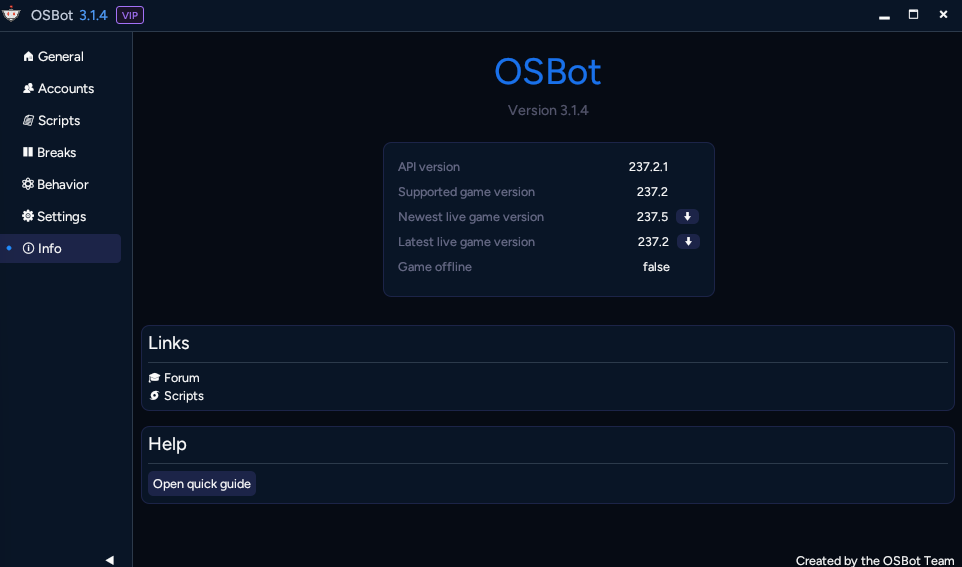
1 pointI can't get it to work even when I launch manually. I don't mind waiting for an update. My versions are the same minus the "scripter" part, but that shouldn't be a problem.
 1 point
 -
1 pointHey Czar, When I launch the Osbot client I press Connect to setup the bot. I've tried to press Launch and Connect with no luck in getting it to work. Nope, this isn't a legacy account. If you have any tips or tricks I'd love to hear them. Thanks as always.1 point
-
1 pointdisregard. I think it has to do with "Your game version is incompatible with the current API version. The client is outdated and will not work. Please wait for the latest hooks update." I'll just wait for the client to update.1 point
-
1 pointI'm getting this error message "[04/14 01:47:35 PM] Unknown login ui state 1080325235 [04/14 01:47:35 PM] Handling login state 1080325235" any work around for this one?1 point
-
ETA on client update? I'm getting this message when trying to run a script: Your game version is incompatible with the current API version. The client is outdated and will not work. Please wait for the latest hooks update.1 point
-
I'm brazillian. Dolar is too expensive for us.1 point
-
I cant believe how great osbot scripts used to be before this update. These scripts are horrible. Come on guys, this was supposed to be figured out during the BETA. Now we pay for C++ AND have to buy scripts AGAIN. wtf?1 point
