




Skip to content
View in the app

A better way to browse. Learn more.

OSBot :: 2007 OSRS Botting

A full-screen app on your home screen with push notifications, badges and more.

To install this app on iOS and iPadOS
  1. Tap the Share icon in Safari
  2. Scroll the menu and tap Add to Home Screen.
  3. Tap Add in the top-right corner.
To install this app on Android
  1. Tap the 3-dot menu (⋮) in the top-right corner of the browser.
  2. Tap Add to Home screen or Install app.
  3. Confirm by tapping Install.

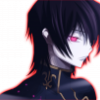
Tried something new.
Featured Replies

Why arent u a gfx artist anymore

Why arent u a gfx artist anymore


He only had the SOTW Winner Pip + Color.

  • Author

He only had the SOTW Winner Pip + Color.

^^


Ye, now i'm "Black Poster"


Not racist at all yo.

It´s all over the place. render is way too covered and the smudging looks bad, no offence.

You messed up the flow on the right side, needs better lighting, smudge doesn't look that great. (Probably just cause you used a hard brush)

Other then those things it looks decent. Keep practicing.

Oh and FHS isn't a good thing to have in your tags.

What designer and mahiro said are way to technical, it's actully pretty good :D

??? Just because I'm being technical that automatically means I think it's shit???

Pls.

  • Author

What designer and mahiro said are way to technical, it's actully pretty good biggrin.png

Naw. They're just trying to help me improve.

Guest
This topic is now closed to further replies.

Recently Browsing 0

  • No registered users viewing this page.

Account

Navigation

Search

Search

Configure browser push notifications

Chrome (Android)
  1. Tap the lock icon next to the address bar.
  2. Tap Permissions → Notifications.
  3. Adjust your preference.
Chrome (Desktop)
  1. Click the padlock icon in the address bar.
  2. Select Site settings.
  3. Find Notifications and adjust your preference.