




Jump to content
View in the app

A better way to browse. Learn more.

OSBot :: 2007 OSRS Botting

A full-screen app on your home screen with push notifications, badges and more.

To install this app on iOS and iPadOS
  1. Tap the Share icon in Safari
  2. Scroll the menu and tap Add to Home Screen.
  3. Tap Add in the top-right corner.
To install this app on Android
  1. Tap the 3-dot menu (⋮) in the top-right corner of the browser.
  2. Tap Add to Home screen or Install app.
  3. Confirm by tapping Install.

Hola

Featured Replies

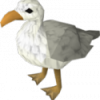
Yo guys whats up 'seagull' here, im just another bird tryna make a living out here. I was born and raised in the port sarim docks, i know that beeech like that back of my wing. Below you can see a picture of my family and I, Im on the left. So yeah whats up guys?

What the fuck is wrong with everyone, someone is named Log, other guy Table now we have a fucking seagull..


..Welcome to OSBot

  • Author

What the fuck is wrong with everyone, someone is named Log, other guy Table now we have a fucking seagull..


..Welcome to OSBot

hey! a seagull aint never hurt nobody :(

  • Author

Natural idiot..

ima poop on ur 4hed ked if i c u around my turf

Welcome to the forums! If you need anything let me know. :)

Welcome to OSBot!


If you ever have any questions or concerns, feel free to shoot me a private message. ^_^

What the fuck is wrong with everyone, someone is named Log, other guy Table now we have a fucking seagull..


..Welcome to OSBot

I LOLed

What the fuck is wrong with everyone, someone is named Log, other guy Table now we have a fucking seagull..

..Welcome to OSBot

We also have a Bank...

Welcome to OSBot, I like your introduction! :D


If you need any questions answered, don't hesitate to ask!

Guest
This topic is now closed to further replies.

Recently Browsing 0

  • No registered users viewing this page.

Account

Navigation

Search

Configure browser push notifications

Chrome (Android)
  1. Tap the lock icon next to the address bar.
  2. Tap Permissions → Notifications.
  3. Adjust your preference.
Chrome (Desktop)
  1. Click the padlock icon in the address bar.
  2. Select Site settings.
  3. Find Notifications and adjust your preference.
