




Jump to content
View in the app

A better way to browse. Learn more.

OSBot :: 2007 OSRS Botting

A full-screen app on your home screen with push notifications, badges and more.

To install this app on iOS and iPadOS
  1. Tap the Share icon in Safari
  2. Scroll the menu and tap Add to Home Screen.
  3. Tap Add in the top-right corner.
To install this app on Android
  1. Tap the 3-dot menu (⋮) in the top-right corner of the browser.
  2. Tap Add to Home screen or Install app.
  3. Confirm by tapping Install.

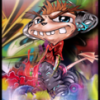
Lockmonster and Infinity Dreamer Collab - Xerath
Featured Replies

Pity Xerath isn't viable in most team comps in the current meta, he's quite a dynamic champion to play


OT: Great work, LOVE the colours 

He made it look so dope. 

Dang.


Nice start, gj. 

  • Author

He made it look so dope. 

Dang.


Nice start, gj.

Thats what I was saying!!!

My start was meh, and he just took it somewhere I couldn't even think to do! I was so pleased

  • Author

topaz


The topaz layer is on 5% opacity... So this comment really doesn't work, if I took that layer out you wouldn't notice a thing...

The topaz layer is on 5% opacity... So this comment really doesn't work, if I took that layer out you wouldn't notice a thing...


its so obvious where its topazed rofl..

Guest
This topic is now closed to further replies.

Recently Browsing 0

  • No registered users viewing this page.

Account

Navigation

Search

Configure browser push notifications

Chrome (Android)
  1. Tap the lock icon next to the address bar.
  2. Tap Permissions → Notifications.
  3. Adjust your preference.
Chrome (Desktop)
  1. Click the padlock icon in the address bar.
  2. Select Site settings.
  3. Find Notifications and adjust your preference.