Jump to content
View in the app

A better way to browse. Learn more.

OSBot :: 2007 OSRS Botting

A full-screen app on your home screen with push notifications, badges and more.

To install this app on iOS and iPadOS
  1. Tap the Share icon in Safari
  2. Scroll the menu and tap Add to Home Screen.
  3. Tap Add in the top-right corner.
To install this app on Android
  1. Tap the 3-dot menu (⋮) in the top-right corner of the browser.
  2. Tap Add to Home screen or Install app.
  3. Confirm by tapping Install.

MeowMixer

Members
  • Joined

  • Last visited

Everything posted by MeowMixer

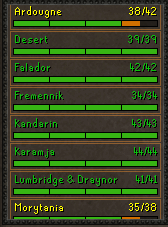
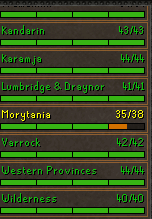
  1. All Skills are 80+ except Hunter which is close
  2. - What is your Skype?: Dayumzlazy- What service do you need?: 43 CW Tickets- Payment method? (rsgp/btc): Rsgp- Do you agree to my TOS?: Yes
  3. Payment: 07 Skype:dayumzlazy
  4. Bought 124m from them. Fast and easy. Thank you very much!
  5. May I have a free trial please?
  6. I been running for 25+hrs (just to see) and never been banned

Account

Navigation

Search

Configure browser push notifications

Chrome (Android)
  1. Tap the lock icon next to the address bar.
  2. Tap Permissions → Notifications.
  3. Adjust your preference.
Chrome (Desktop)
  1. Click the padlock icon in the address bar.
  2. Select Site settings.
  3. Find Notifications and adjust your preference.