






sharkster
Members
-
Joined
-
Last visited
Everything posted by sharkster
-
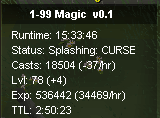
Here's an updated proggie. Super consistent and works well. If anyone's having problems, its gotta be your location. Find a simpler area where you can't get messed up is my guess. At the grizzly bears behind varrock palace for example (like the scripter mentioned so many times), it was perfect. Thanks again
-
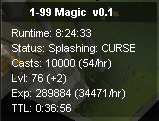
Thanks for the script, I've been using it the past 3 days and it's been good. 10k cast proggie for you. for the cast/number hour thing the guy above mentioned, it went to -2 for me after the automatic 6 hour logout. don't really care about that tho, since no matter what I always get 34k/hr with curse and don't need to know the casts/hr personally. originally i had a few instances where it messed up on the varrock monk of zamorak. a few times it logged out without a reason (just said cannot cast curse) and another time i came back to it stuck in the garden trying to curse through the castle wall (I caught it quick though). Someone was in my place when I looked back at the bot, so maybe he did something to me. My advice is to just not use that monk tbh, I've had absolutely no issue doing other monsters with simpler surroundings. Working awesome, tysm again. I'll probably grab membership for this account at 80 and start stunning.
-
What is Anti-pattern mode? Does it slow down exp gains for extra anti-ban measures or something?


