




Jump to content
View in the app

A better way to browse. Learn more.

OSBot :: 2007 OSRS Botting

A full-screen app on your home screen with push notifications, badges and more.

To install this app on iOS and iPadOS
  1. Tap the Share icon in Safari
  2. Scroll the menu and tap Add to Home Screen.
  3. Tap Add in the top-right corner.
To install this app on Android
  1. Tap the 3-dot menu (⋮) in the top-right corner of the browser.
  2. Tap Add to Home screen or Install app.
  3. Confirm by tapping Install.

Brutalias

Members
  • Joined

  • Last visited

  1. Brutalias replied to Czar's topic in VIP Scripts
    When i start my bot it just barely moves camera back and forth and doesn't do anything.. Help pls My settings are correct... Only right click. Camera zoom thing Idk whats goin on Just sits here and says calculating... the whole time.
  2. Brutalias replied to Czar's topic in VIP Scripts
    its working now, but thank you for being up to date and responding quickly
  3. Brutalias replied to Czar's topic in VIP Scripts
    v
  4. Can i get a free trial please?
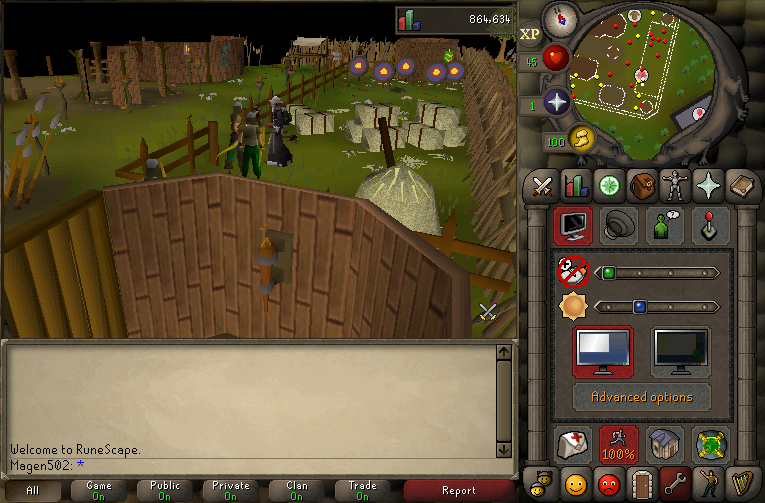
  5. This script is making me think twice about buying it... I'm getting frustrated because everytime i check up on the bot it is near the cave. Also, under my xp it says "To use this script, use fixed mode" "Rock count 0 seconds" This might be the problem?

Account

Navigation

Search

Configure browser push notifications

Chrome (Android)
  1. Tap the lock icon next to the address bar.
  2. Tap Permissions → Notifications.
  3. Adjust your preference.
Chrome (Desktop)
  1. Click the padlock icon in the address bar.
  2. Select Site settings.
  3. Find Notifications and adjust your preference.