Kwinten
Members
-
Joined
-
Last visited
Everything posted by Kwinten
-
200m left in stock! Online for 30 more mins
-
Online
-
-
300m in stock. $.85/1m through BTC/ETH or LTC and $.88/1m for PP(only trusted)
-
Bump! Online
-
It will soon be there. Wait for duel arena change's and rs mobile There is going to be a lot more demand for gold
-
Selling 300m! Only taking BTC/ETH and LTC. Message me on skype: undabros
-
Just messaged you on skype
-
I can purchase through BTC, if you still have mate! let me know
-
Of crouse brother! send me a message on skype
-
I can sell you over 450m if you get coinbase and transfer me crypto. Its a simple process, way less hassle than PP. Let me know. We can also use MM
-
yea sold 385m so far, but I still got more so didn't change the topic :P read feedback LOL
-
I call sell you 200m, for .85! We use MM, and I have coinbase so there is no fee for transfer
-
-
-
Online for the 2 hours
-
-
-
-
-
Skype me Skype me
-
I am not able to post anymore. But @Fratem real discord is Fratem#2259. Please ban this guy before he scams anyone! His Osbot name is @JakBau
-
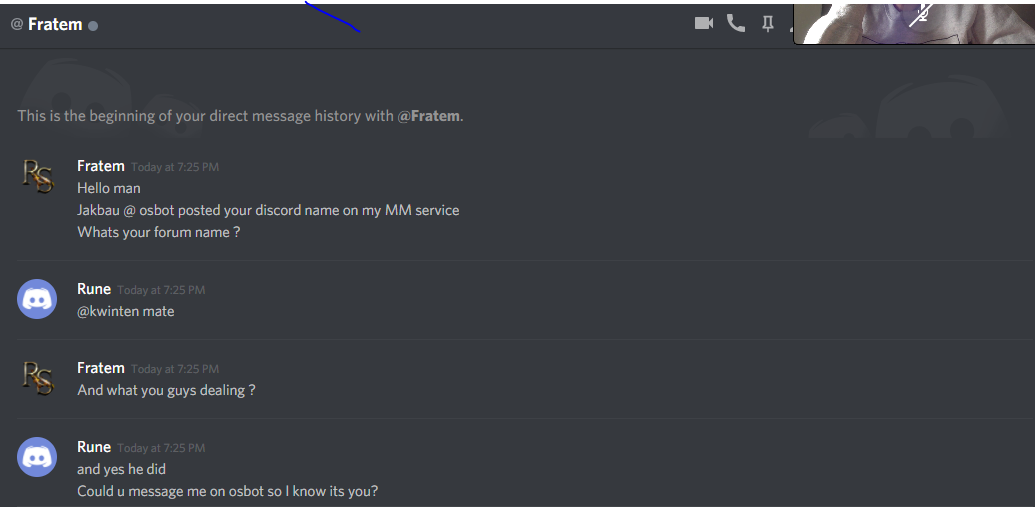
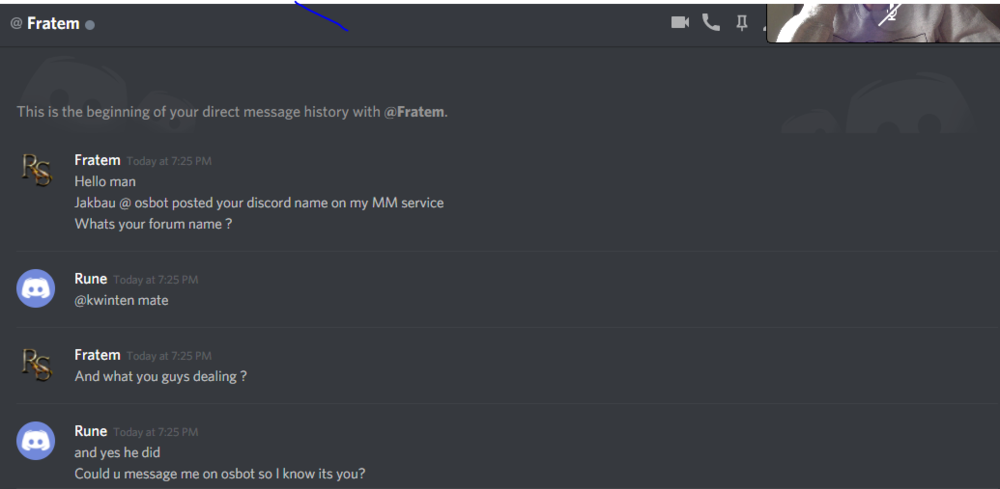
So he messages me on Discord. I ask if he can message me, then he changes the topic saying he can't do this service because he is not home. This is when I smelled something fishy This is the Fratem that added me, then I looked up Fratem discord
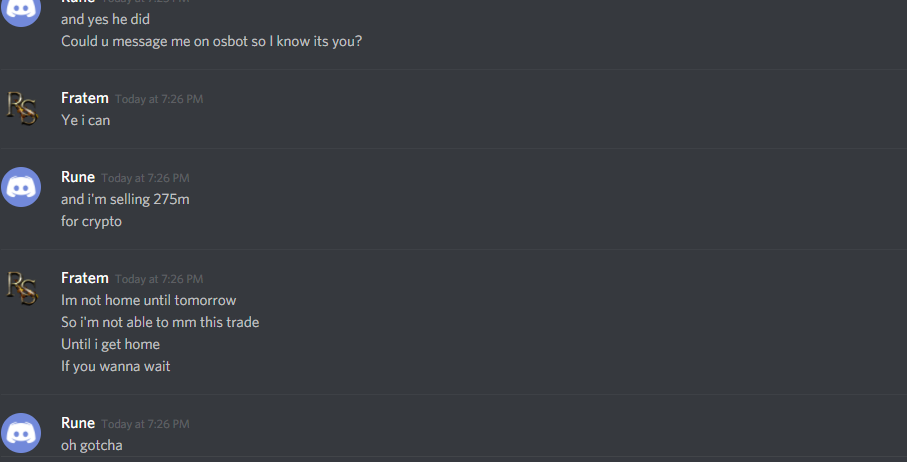
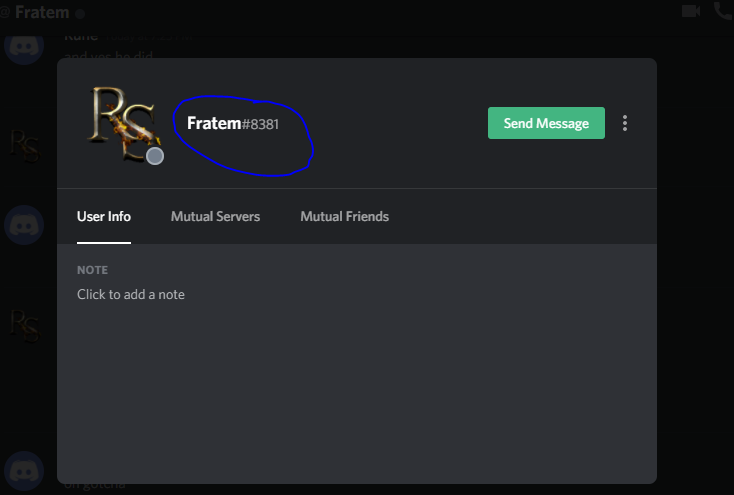
-
He says to use @Fratem
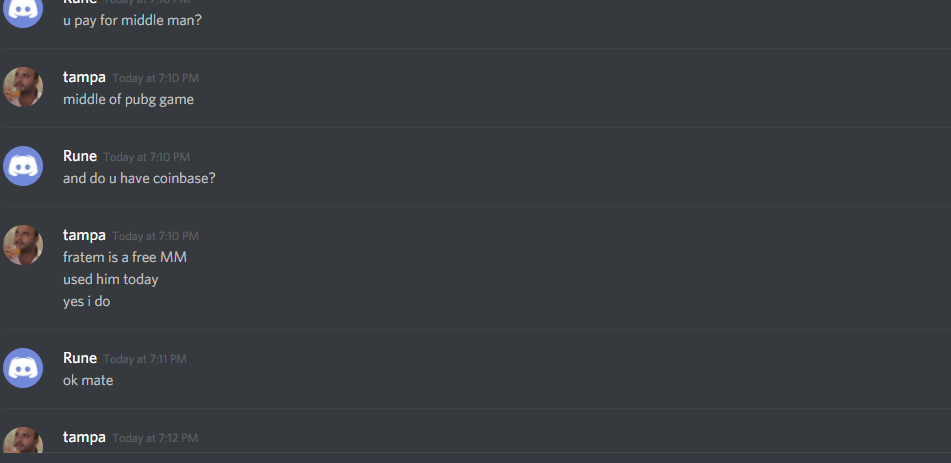
-
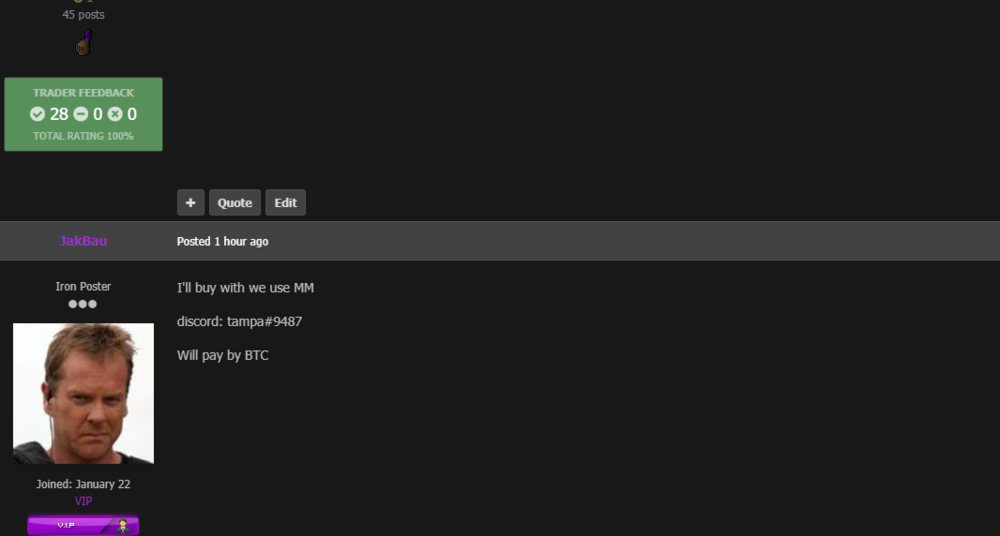
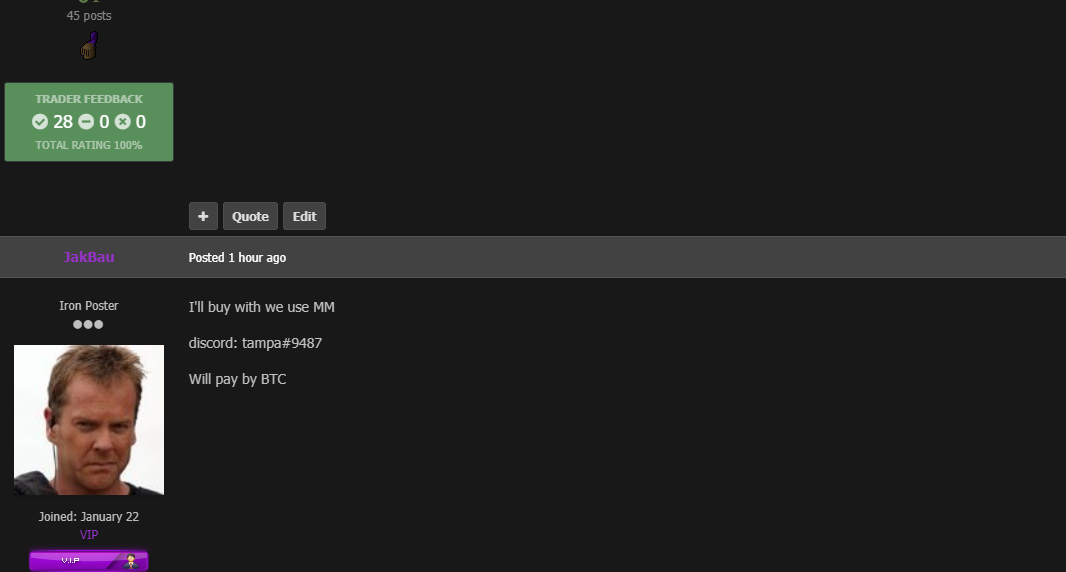
Hello everyone, I recently made a thread about me selling 275m. JakBau commented on it showing interest, I added him on discord and we talked. Everything went well, he said we can use @Fratem as the MM since he has dealt with him before. I agreed knowing that @Fratem is very highly reputed. So we post on his MM services thread, and then @Fratem messages me and we talk. After a few chats I smelled something fishy so I told @Fratem (from discord) to message me on OsBot. Right when I said that he said he won't be able to do this service since he is out of town, I said okay thats fine. After a few minutes is when I put everything together to realize that it was a fake imposer. I will post screenshots the users name is @JakBau