Jump to content
View in the app

A better way to browse. Learn more.

OSBot :: 2007 OSRS Botting

A full-screen app on your home screen with push notifications, badges and more.

To install this app on iOS and iPadOS
  1. Tap the Share icon in Safari
  2. Scroll the menu and tap Add to Home Screen.
  3. Tap Add in the top-right corner.
To install this app on Android
  1. Tap the 3-dot menu (⋮) in the top-right corner of the browser.
  2. Tap Add to Home screen or Install app.
  3. Confirm by tapping Install.

stud

Members
  • Joined

  • Last visited

Everything posted by stud

  1. stud replied to stud's topic in Archive
    thanks for you're input
  2. stud replied to stud's topic in Archive
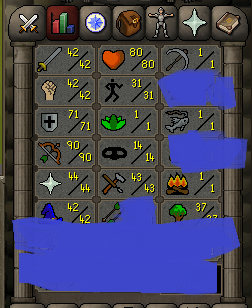
    50+agility 75+ hunt 40atk 50 str 1 def
  3. stud replied to stud's topic in Archive
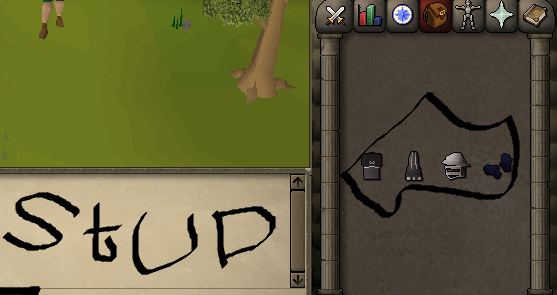
    cant put pic you could find lol
  4. stud posted a topic in Archive
    please post how much you think this acc is worth 07 gp or paypal
  5. dude is taking 07 gp but has no acc to trade to
  6. Your role: buying What you are giving: 20M What you are receiving: account Who are you trading with:hupparic Have either of you added me on Skype: Yes
  7. buying 35m
  8. stud replied to stud's topic in Archive
    imwesto is my skype
  9. stud posted a topic in Archive
    im buying 35m for 76$ on paypal balance
  10. Link please
  11. still buying
  12. hell no buy ill sell rs3 accs cheap
  13. stud posted a topic in Archive
    i have $88 and i need 44m
  14. has ban and 90 is high
  15. buying account that is good please no starter accs almost complete only
  16. stud replied to Icek95's topic in Archive
    paypal ?
  17. selling account for gold yet you're it has 20m on it ?
  18. If you can do 35 deal
  19. this is legit this kid lives 10-15mins away from me in ohio
  20. account is also on PA
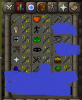
  21. this is a fantastic account that just owns pvp with great def and range COMES WITH VOID!!! A/W 25m starting bid 15m skype - imwesto
Account

Navigation

Search

Configure browser push notifications

Chrome (Android)
  1. Tap the lock icon next to the address bar.
  2. Tap Permissions → Notifications.
  3. Adjust your preference.
Chrome (Desktop)
  1. Click the padlock icon in the address bar.
  2. Select Site settings.
  3. Find Notifications and adjust your preference.