






blessout
Members
-
Joined
-
Last visited
-
Please tell me i really want to sell
-
i want a refund, perm banned using it 4 hours a day with breaks like human.
-
Okay thanks allot
-
perfect stronghold aio , on my sdn but dont work
-
czar i get perfect fighter? i got ur stronghold script in my sdn... buyed it but dont work...
-
area ban rate atm?
-
botted 2 hours baby sit, and get back get ur shit bot stucks all the time thanks for ban
-
very high at range guild tried to get 99 5 times and b00m
-
czar support stronghold ? bank in varrock?
-
i traded my 16m, to abbysal blud... and he logged out then no pay me...........
-
Original poster of the topic The person under dispute Involved in the trade and/or can provide valuable evidence. Have permission from a staff member. http://osbot.org/forum/topic/107284-buy-16-voucher/ http://osbot.org/forum/user/235276-abyssal-service/ [HIDDEN] Please help u can saw evidence. he say me not me when i traded him, i really need help im live from argentina 16$ is 270$ i cant afford it and fuqing guy scammed me please help
-
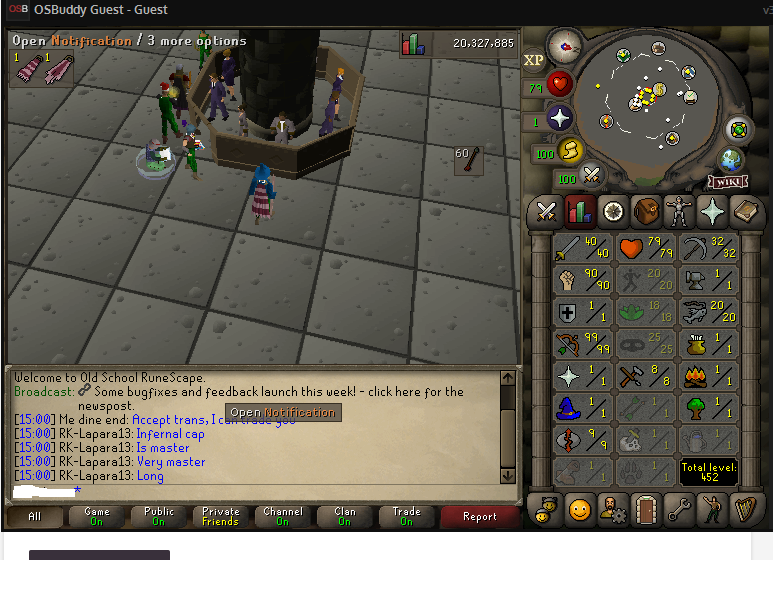
solution i show in dispute all evidence got 2 images. when he trade and he say not me. please help
-
please help after i trade he send me a message not me... i really want 16$ voucher omg all i want is it.......
-
-
1$ please i need 16$ to 2 scripts 1$ please i really want 16$ to buy 2 scripts


