




Jump to content
View in the app

A better way to browse. Learn more.

OSBot :: 2007 OSRS Botting

A full-screen app on your home screen with push notifications, badges and more.

To install this app on iOS and iPadOS
  1. Tap the Share icon in Safari
  2. Scroll the menu and tap Add to Home Screen.
  3. Tap Add in the top-right corner.
To install this app on Android
  1. Tap the 3-dot menu (⋮) in the top-right corner of the browser.
  2. Tap Add to Home screen or Install app.
  3. Confirm by tapping Install.

fetasmycken

Members
  • Joined

  • Last visited

Everything posted by fetasmycken

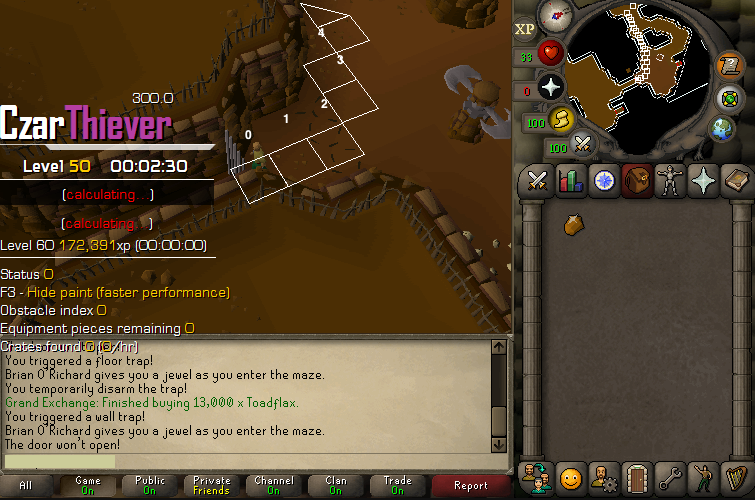
  1. Great script in general, but i encountered issues while trying out Rogues, the rogue wont start until i manually trigger the run button, it stops at some places and needs manual clicks and it also at some points trigger a trap, please if u can look over these issues
  2. fetasmycken replied to Token's topic in Others
    any new quests getting added?
  3. is it possible to add a logout/anti-pk feature for wilderness course?
  4. can i trial this?
  5. Hello! Great script, I'm wondering if there's a possibility to add "ring of the elements teleport" as an option to walk to sawmill
  6. Hey, recently got banned. I've tried to patch the client with Runelite, start up Jagex Launcher but runelite pops up instead of OSBot. Does anyone know how to work around this?

Account

Navigation

Search

Configure browser push notifications

Chrome (Android)
  1. Tap the lock icon next to the address bar.
  2. Tap Permissions → Notifications.
  3. Adjust your preference.
Chrome (Desktop)
  1. Click the padlock icon in the address bar.
  2. Select Site settings.
  3. Find Notifications and adjust your preference.