






abc3
Members
-
Joined
-
Last visited
Everything posted by abc3
-
Do you think a player will perfectly click 3 rocks in order with no mistakes for any more than a few minutes? No, because a human doesn't have perfect memory, a human makes mistakes, and the game can be unpredictable. You'd be better off just checking for rocks that are facing you or facing next to you first. That's more how real players mine. Then if none are immediately close you mine the other rock.
-
Doing it your way is way more bot like, clicking the same rocks in the same order forever. A player just clicks the closest rock when it spawns. More random is better. Also your script should be stateless. I.e. we don't keep track of what we have done, we simply read the game state and decide what to do each time.
-
0
-
Don't invest a lot of money into it until you have enough practice and know how to make it back
-
You need to update your script
-
import org.osbot.rs07.utility.ConditionalSleep; import java.util.function.BooleanSupplier; public class Sleep extends ConditionalSleep { private final BooleanSupplier condition; public Sleep(final BooleanSupplier condition, final int timeout) { super(timeout); this.condition = condition; } public static boolean sleepUntil(final BooleanSupplier condition, final int timeout) { return new Sleep(condition, timeout).sleep(); } @Override public final boolean condition() { return condition.getAsBoolean(); } } Usage Sleep.sleepUntil(() -> !Sleep.sleepUntil(api.myPlayer()::isAnimating, random(4000, 8000)), random(20000, 40000)) Sleep until haven't animated for 4-8 seconds, returns boolean whether condition was met or timed out
-
Look at the ConditionalSleep class, it uses a loop but allows interruption You basically want a nested condition, sleep until you haven't animated for x seconds (sleep until the nested sleep fails)
-
Injection is the best option at the moment
-
Shower
-
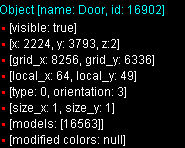
Web walker keeps trying to travel via Captain Bentley but door is in the way
-
You need java 8 not 11
-
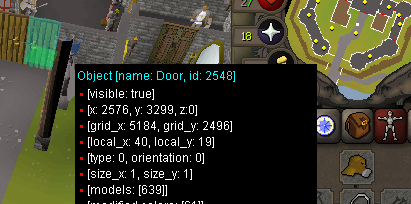
Keeps spamming the other side of the door, you need to open it
-
-
Switching tabs is still broken
-
@space3045 fixed now
-
Any script using the broken hooks is broken... now take your meds
-
The client is broke, whether you use a premium script or not...
-
The client is broken since the last OSRS update
-
If those scripts aren't being sold then why advertise them on the page? It's misleading and I understand why the OP thought they were advertised as part of the full package as working scripts
-
Why not give him a refund? The script thread advertises scripts that might be broken or not kept up to date without any disclaimer
-
You can use a middle man, so you pay someone trusted to be escrow for the gold payment, until you build enough reputation
-
If you are just selling the gold you are botting and not being a buyer and seller it's probably not worth the effort. For me it takes 5 minutes to sell my gold each week and it would be hours of work to become a reputable vendor. Dealing with customers, scam attempts, chargebacks, advertising, etc
-
I just message a dozen people on sythe discord and sell to whoever offers the best rate
-
Make sure you're running on Java 8
-
I use task based framework It's really simple so once you get it working you can easily extend it to make task runners and orchestrators for complex scripts



