



Jump to content
View in the app

A better way to browse. Learn more.

OSBot :: 2007 OSRS Botting

A full-screen app on your home screen with push notifications, badges and more.

To install this app on iOS and iPadOS
  1. Tap the Share icon in Safari
  2. Scroll the menu and tap Add to Home Screen.
  3. Tap Add in the top-right corner.
To install this app on Android
  1. Tap the 3-dot menu (⋮) in the top-right corner of the browser.
  2. Tap Add to Home screen or Install app.
  3. Confirm by tapping Install.

Zur

Members
  • Joined

  • Last visited

  1. Zur posted a topic in Price Check
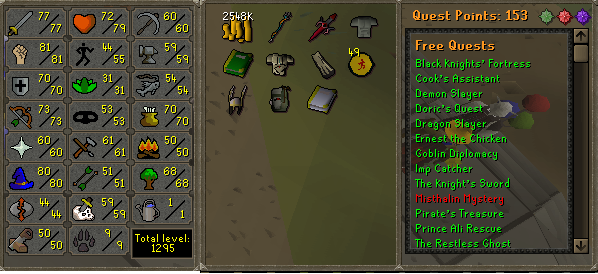
    No bans, pc?
  2. Zur replied to Mister Slyther's topic in Gallery
    Clearly, this is an great piece of work. But in my view the left hand could be tweaked, it appears slightly out of place with regards to the overall lighting.
  3. Zur posted a topic in Graphics
    Whens the next SOTM? Also will be posting some new stuff here - Watch this space -Zur
  4. Zur replied to SocialGFX's topic in Gallery
    Awesome work!
  5. Im a designer - used to have rank on this forum.
  6. Zur replied to moodmind's topic in Gallery
    Welcome - stick around, check out the chat box
  7. Lighting needs thought and improvement.
  8. Zur replied to Basic's topic in Gallery
    Good work.
  9. Lighting needs correcting, its too flat, needs more depth aswell. Keep it up
  10. Peoples work is better than others, if not why choose one over another, haha. Basic is expressing an opinion and should not be threatened with a 'warning'.
  11. Zur replied to Bunka's topic in Market
    Good luck on the forum.
  12. Dope tag, keep it up. p.s she is perfect
  13. Zur replied to Designer's topic in Gallery
    Looks good! nice lighting
  14. Don't believe there is any correct text spot, this is only for specific signatures like about, where yes the text is well placed however, we cannot presume that each image will have similar image composition and therefore i don't think this is really necessary, but i like your effort, its a well done tutorial!
Account

Navigation

Search

Configure browser push notifications

Chrome (Android)
  1. Tap the lock icon next to the address bar.
  2. Tap Permissions → Notifications.
  3. Adjust your preference.
Chrome (Desktop)
  1. Click the padlock icon in the address bar.
  2. Select Site settings.
  3. Find Notifications and adjust your preference.
