




Jump to content
View in the app

A better way to browse. Learn more.

OSBot :: 2007 OSRS Botting

A full-screen app on your home screen with push notifications, badges and more.

To install this app on iOS and iPadOS
  1. Tap the Share icon in Safari
  2. Scroll the menu and tap Add to Home Screen.
  3. Tap Add in the top-right corner.
To install this app on Android
  1. Tap the 3-dot menu (⋮) in the top-right corner of the browser.
  2. Tap Add to Home screen or Install app.
  3. Confirm by tapping Install.

MaxyOSRS

Members
  • Joined

  • Last visited

Everything posted by MaxyOSRS

  1. looking for sensible offers for full amount. please offer in GBP thankyou. add your discord below.
  2. Yes, but im not offering a service Will be adding shortly.
  3. No feedback sorry. Cant risk my account being botted. Thanks for offer though.
  4. How much to get 74 str to 85? NO BOTTING!! stats below please post prices below with contact details.
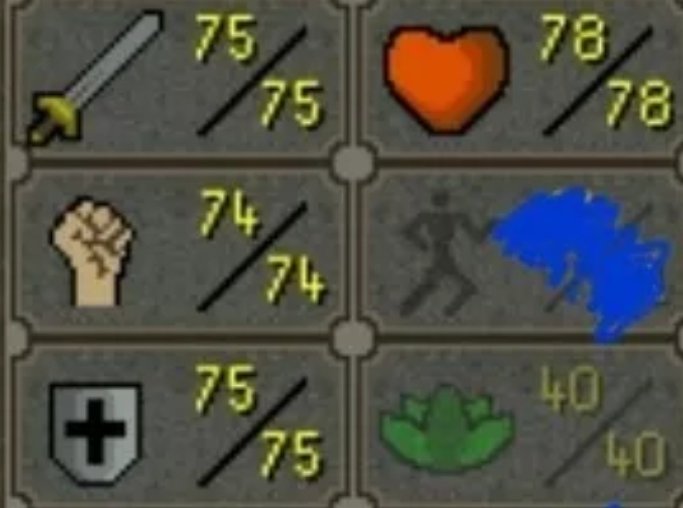
  5. MaxyOSRS replied to Oliver's topic in Spam/Off Topic
    Good thanks, you bro?
  6. Congratulations buddy
  7. MaxyOSRS replied to Geeseball's topic in Introductions
    Welcome mate! Hope you get used to java on here and make some awesome scripts.
  8. Money making scripts definitely, always good to have new ones.
  9. Welcome mate!! I just joined myself getting used to the site slowly. Enjoy your time here i am so far.
  10. MaxyOSRS replied to Geeseball's topic in Introductions
    Welcome mate!! I just joined myself getting used to the site slowly. Enjoy your time here i am so far.
  11. Welcome mate!! I just joined myself getting used to the site slowly. Enjoy your time here i am so far.

Account

Navigation

Search

Configure browser push notifications

Chrome (Android)
  1. Tap the lock icon next to the address bar.
  2. Tap Permissions → Notifications.
  3. Adjust your preference.
Chrome (Desktop)
  1. Click the padlock icon in the address bar.
  2. Select Site settings.
  3. Find Notifications and adjust your preference.