



Jump to content
View in the app

A better way to browse. Learn more.

OSBot :: 2007 OSRS Botting

A full-screen app on your home screen with push notifications, badges and more.

To install this app on iOS and iPadOS
  1. Tap the Share icon in Safari
  2. Scroll the menu and tap Add to Home Screen.
  3. Tap Add in the top-right corner.
To install this app on Android
  1. Tap the 3-dot menu (⋮) in the top-right corner of the browser.
  2. Tap Add to Home screen or Install app.
  3. Confirm by tapping Install.

wallabee69

Members
  • Joined

  • Last visited

  1. Will test for a couple hours and post proggie although im a little sketched cause ive seen multiple posts of people being banned with this script. especially because both my accounts have gotten banned for 1 day so far on os.
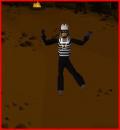
  2. Have tested in the past and had no luck, after seeing some positive comments im trying again, hopefully it will work great! EDIT: this is what i get when it descends into 1st treasure room, and it freezes on and off unless I pause the script: http://imgur.com/1QnGUq4
  3. Lol im having trouble figuring out how to get the bot...
Account

Navigation

Search

Configure browser push notifications

Chrome (Android)
  1. Tap the lock icon next to the address bar.
  2. Tap Permissions → Notifications.
  3. Adjust your preference.
Chrome (Desktop)
  1. Click the padlock icon in the address bar.
  2. Select Site settings.
  3. Find Notifications and adjust your preference.