Jump to content
View in the app

A better way to browse. Learn more.

OSBot :: 2007 OSRS Botting

A full-screen app on your home screen with push notifications, badges and more.

To install this app on iOS and iPadOS
  1. Tap the Share icon in Safari
  2. Scroll the menu and tap Add to Home Screen.
  3. Tap Add in the top-right corner.
To install this app on Android
  1. Tap the 3-dot menu (⋮) in the top-right corner of the browser.
  2. Tap Add to Home screen or Install app.
  3. Confirm by tapping Install.

dayong143333333

VIP C++
  • Joined

  • Last visited

  1. mirror mode!!!!!!!!!!!!!!
  2. Hope Mirror Mode gets restored soon
  3. 3.0.1 !!!!!!!!!!!!!!!!!!!!!!!!!!!!!!!!!
  4. Always waiting for updates on mirror mode
  5. Mirror mode How much longer will it take to recover
  6. Error trying to login to Jagex account
  7. No tab found “Dismiss all randoms”
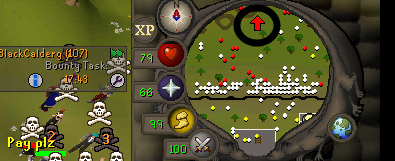
  8. Just want to get the arrow !!!!!! Easy to follow the player
  9. config did not get any useful information! Including arrows "disappear" "change position"!!!!!! 😭
  10. 在屏幕上获取引导标志的位置? 谢谢 !!!
  11. thanks thanks thanks thanks👍

Account

Navigation

Search

Configure browser push notifications

Chrome (Android)
  1. Tap the lock icon next to the address bar.
  2. Tap Permissions → Notifications.
  3. Adjust your preference.
Chrome (Desktop)
  1. Click the padlock icon in the address bar.
  2. Select Site settings.
  3. Find Notifications and adjust your preference.