






dazedaze
Members
-
Joined
-
Last visited
Everything posted by dazedaze
-
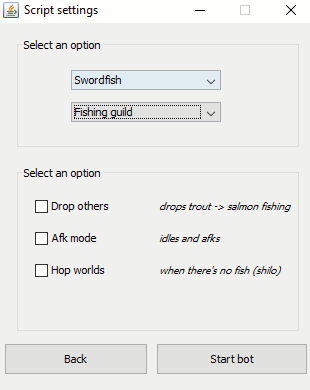
The option only lists in the power dropping mode... sadly cannot bank swordies/tuna with this bot, hand fishing
-
BTW , It seems this bot DOESN'T support hand fishing at fishing guild* swords/sharks... is this true? It seems to always run to the bank because of no harpoon.
-
@Czar well my one account got banned that randomly went to varrock, I didn't use it too much... anyway If im going to continue using this script there needs to be an update to the dropping listen me out. The shift dropping method is used by nearly all runescapers these days on PC. Can you implement a randomized dropping method of maybe 5-10 different ways and the bot can randomly pick through these to drop the fish. Sometimes up down, sometimes side to side, sometimes zig-zag, etc etc... when I fish normally I do it that way... it will make the bot so much more human like and must be nearly undetectable that way... if you drop the fish the same way every single time for 1000x it's obviously gonna look like a macro. If you do that for the script... this will improve it sooo much. Thank you.
-
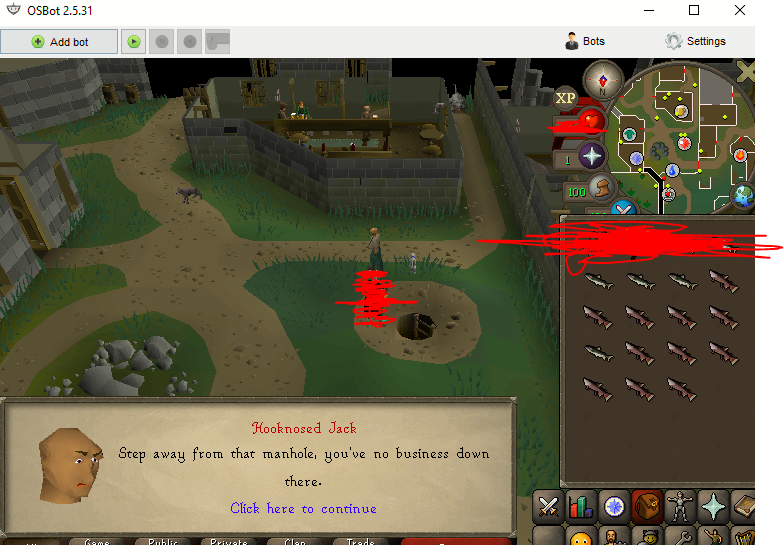
what the actual hell... I left my bot alone for 30 minutes... after checking that it dropped 3 invs barbarian fishing... I come back to it spam clicking this manhole.... furthermore the bot just randomly runs away from fishing spot doing other shit many other times....
-
This script wont let me add law/nature runes or Grimy Ranarr on chaos/thugs edit: cant even add bones from cows...w t f?
-
IDK HOW DELETE IT, FIXED IT THANKS
-
I bought the script... but I can't find it anywhere...?
-
Hello trying to test drive this bad boy, I liked it!

