Jump to content
View in the app

A better way to browse. Learn more.

OSBot :: 2007 OSRS Botting

A full-screen app on your home screen with push notifications, badges and more.

To install this app on iOS and iPadOS
  1. Tap the Share icon in Safari
  2. Scroll the menu and tap Add to Home Screen.
  3. Tap Add in the top-right corner.
To install this app on Android
  1. Tap the 3-dot menu (⋮) in the top-right corner of the browser.
  2. Tap Add to Home screen or Install app.
  3. Confirm by tapping Install.

doomednoobs

Members
  • Joined

  • Last visited

Everything posted by doomednoobs

  1. the life of the wife was ended by the knife
  2. alllllllllllllllllllll mine
  3. close thread
  4. free stuff for mw
  5. why are you all spamming
  6. im not spamming you are!
  7. facts not sam
  8. give me free things!
  9. all zerkers preveil
  10. close the fourm!
  11. Could use any help!
  12. dutch baby please
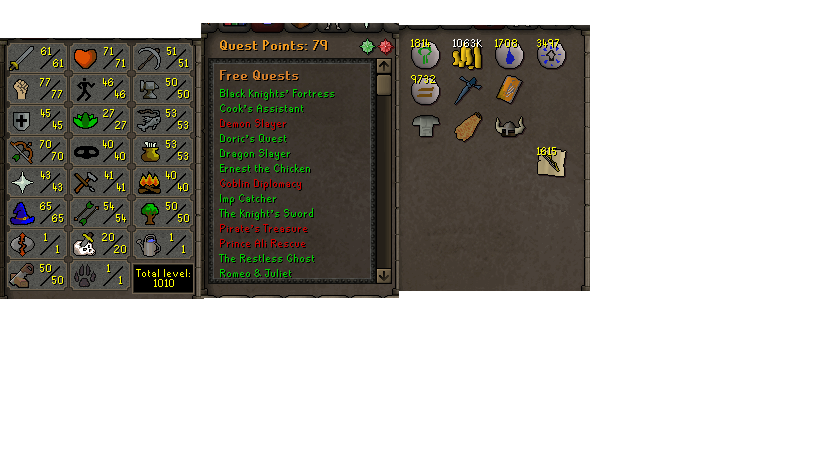
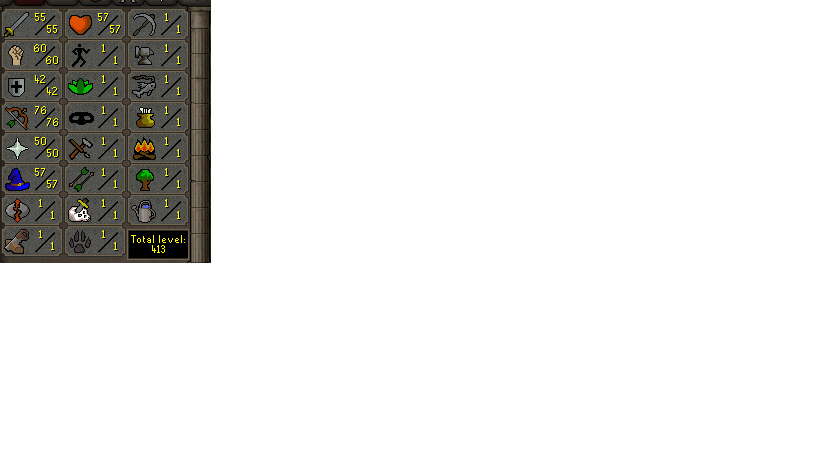
  13. need pc for this zerker only needs barrows gloves for complete pure has 1 black mark from botting
  14. only 2 quest point and oid is only untradeables with all 3 helms
  15. would really like a pc on this account has full void and all helms and pretty decent stats for a starting main it is not a pure

  16. I would like to buy some accounts asap!! 10+
  17. I'm willing to test it i can aim for a 12 hour run soon after i get access and willing to watch to help find flaws
  18. i got 2.6m for 5$ voucher

Account

Navigation

Search

Configure browser push notifications

Chrome (Android)
  1. Tap the lock icon next to the address bar.
  2. Tap Permissions → Notifications.
  3. Adjust your preference.
Chrome (Desktop)
  1. Click the padlock icon in the address bar.
  2. Select Site settings.
  3. Find Notifications and adjust your preference.