






QuiTTTed
-
Joined
-
Last visited
Everything posted by QuiTTTed
-
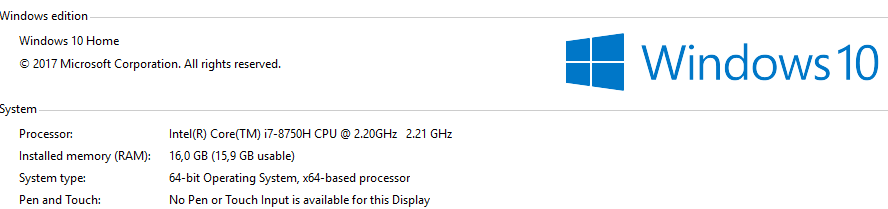
upppppupppppStill selling.Most of your probably dont do diffrence between a laptop and regular computer. You dont carry a fucking box around the world with you :'D Stay home with your table computers, atleast i can travel around the world and do what i wanna do. Also who told you that i want a PC? Who told you i wanted something else? Who told you i got scammed in price? I think i got a perfect price for my country, dont forget the taxes. If i order online from some other country, i get billed additional 200€ if price is 2000-2999€. FaggetsLast one got pretty old so i decided to get a new one, what do you think? Its Dell Alienware 17 R5 Laptop DIDNT WANT TABLE PC YOU FAGGETS SO DONT COME HERE WHINING OVER SOMETHING THAT TABLE COMPUTER HAS MORE. OBVIOUSLY TABLE PC HAS MORE STATS TO BE ADDED, ITS A FUCKING LAPTOP DUMB GOAT FUCKERS
 Cheap price!New autowin, can be negotiated.bumpiesStill selling.Selling

Account
Navigation
Search
Configure browser push notifications
Chrome (Android)
- Tap the lock icon next to the address bar.
- Tap Permissions → Notifications.
- Adjust your preference.
Chrome (Desktop)
- Click the padlock icon in the address bar.
- Select Site settings.
- Find Notifications and adjust your preference.
Safari (iOS 16.4+)
- Ensure the site is installed via Add to Home Screen.
- Open Settings App → Notifications.
- Find your app name and adjust your preference.
Safari (macOS)
- Go to Safari → Preferences.
- Click the Websites tab.
- Select Notifications in the sidebar.
- Find this website and adjust your preference.
Edge (Android)
- Tap the lock icon next to the address bar.
- Tap Permissions.
- Find Notifications and adjust your preference.
Edge (Desktop)
- Click the padlock icon in the address bar.
- Click Permissions for this site.
- Find Notifications and adjust your preference.
Firefox (Android)
- Go to Settings → Site permissions.
- Tap Notifications.
- Find this site in the list and adjust your preference.
Firefox (Desktop)
- Open Firefox Settings.
- Search for Notifications.
- Find this site in the list and adjust your preference.
