





Jump to content
View in the app

A better way to browse. Learn more.

OSBot :: 2007 OSRS Botting

A full-screen app on your home screen with push notifications, badges and more.

To install this app on iOS and iPadOS
  1. Tap the Share icon in Safari
  2. Scroll the menu and tap Add to Home Screen.
  3. Tap Add in the top-right corner.
To install this app on Android
  1. Tap the 3-dot menu (⋮) in the top-right corner of the browser.
  2. Tap Add to Home screen or Install app.
  3. Confirm by tapping Install.

Brendan Luesley

Members
  • Joined

  • Last visited

Everything posted by Brendan Luesley

  1. Thank you so much, sorry im totally new to botting as you can tell by the last few of my idiotic posts! Will have a read and try again but take my time this time haha
  2. Right, made new account tried again, ran bot for 2 hours and then again for 4 hours some 8 hours later and had script log out and finish.. BANNED.
  3. What are peoples typical login/out times then help be great. was a test account anyway. no biggie
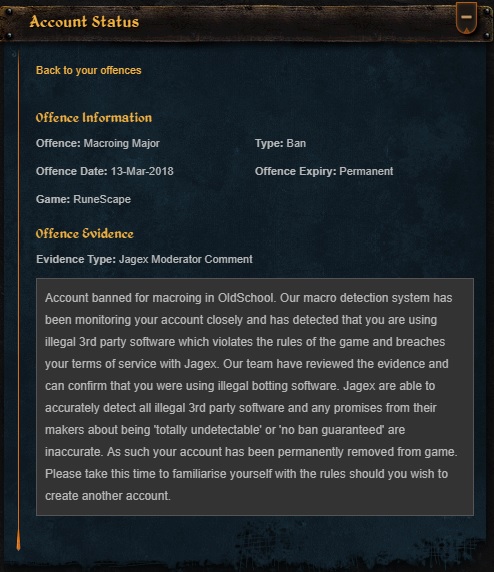
  4. Well this script works well doesn't it? Only bought it yesterday used progressive levelling and now banned!

Account

Navigation

Search

Configure browser push notifications

Chrome (Android)
  1. Tap the lock icon next to the address bar.
  2. Tap Permissions → Notifications.
  3. Adjust your preference.
Chrome (Desktop)
  1. Click the padlock icon in the address bar.
  2. Select Site settings.
  3. Find Notifications and adjust your preference.
