






legendary r6
Members
-
Joined
-
Last visited
-
-
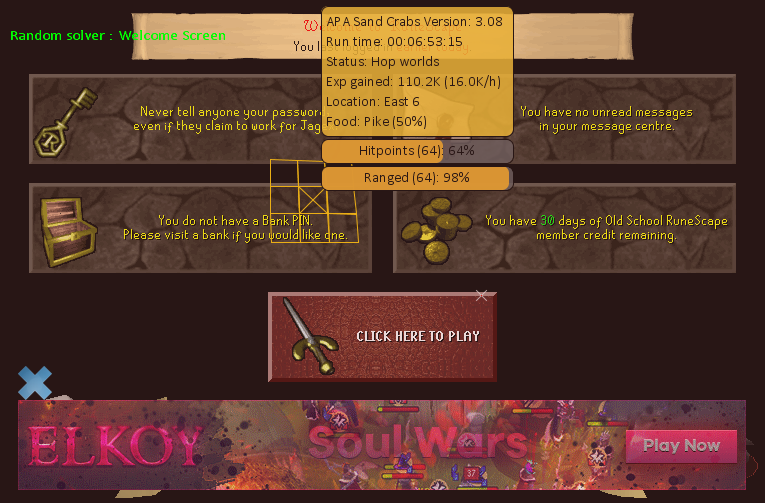
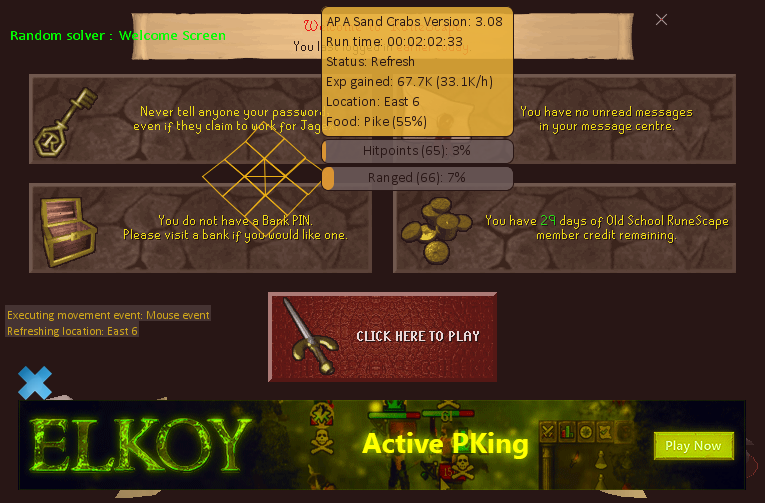
Hey!! im loving the Script!! getting 36k xp a hour with bone cross!! One problem tho, or bug, After like 2 hours my account logs out and cant get past the welcome screen with the Red Play button.. I left in on over night excited to get the Big xp grind results in the morning, but wake up to find that i got 60k xp and stayed logged on for 6 hours and was stuck on the welcome screen after the engine logged in, I'll attach a picture, idk if im doing something wrong or need to set a break timer but please have a look, i think its not just me. Happened every 2ish hours while afk. cant get past Welcome screen. thanks again, awesome script!
-
Oh ok gotchya, yea that's no problem. well then, I'm Buying it!!! thank you !!
-
Hey!!!!!! I'm reallllllly wanting to try the trial for the Sandcrabbies! I was told you have Legit Scripts and should give you a try, so may i get a trial of the sand crabs also got money on the side to buy the sandcrab script once trial is over/near ending let me know and thanks for the Effort in making these scripts!!!!
-
Hey I'd like to Try A Trial of Sandcrabs for my Pure Also I got the real moneys ready to buy the script when everything workd out!! looking forward on Hearing from you!!


