






Rated_
Members
-
Joined
-
Last visited
-
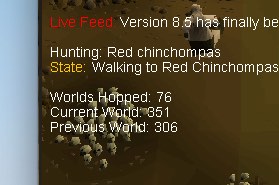
Keep an eye on ur bot, mustve done something stupid for like an hour straight or something
-
May need a new spot for red chins hahah
-
Yep you were right, you probably need to fix this - I had a feeling it might be this as I only had games necklace(7)'s in my bank but obvs it only recognises (8)
-
Shall I try setting my inv up for falconry and then going there? Is the invent the same as the recommended one and where abouts should I go exactly?
-
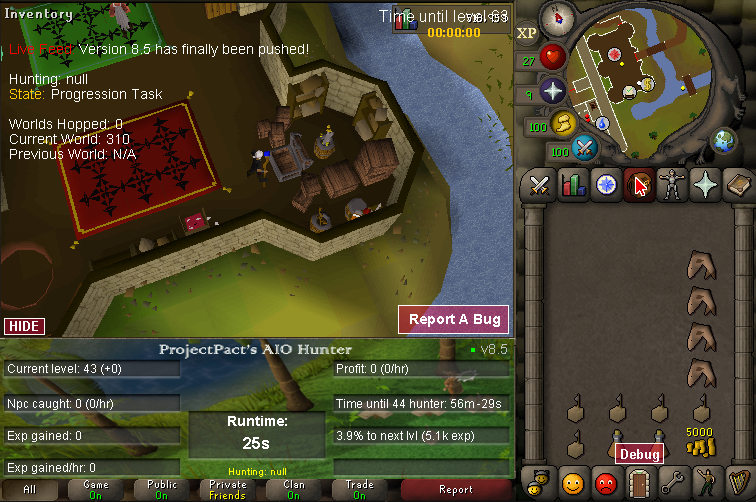
Thats the thing it doesnt log out. It says status: progression. In the bank itll sort inventory except the bird snare side and then open the bank and and literally do nothing. i was at tropical wagtails at first and as soon as it hit 43 it just stopped doing anything and the bird snares were on the floor when i looked. i'll try again now Still stuck
-
Hit lvl 43 and now its stuck, tried everything.
-
I didn't bother wasting my time as the other skills are irrelevant
-
The other stats are all around 30, str is 50 too
-
How much would this account go for Quested 50 atk Mith Gloves 65 hunter 60 Agility 7 days mems on it
-
How are people getting 3 day proggies still? What breaks do they use?
-
OSBot Voucher Value ; Enough to buy project aio hunter Have you added my Skype? ; yeh I'm live:rateddpb
-
What breaks to people use to do these 3.5 day proggies, how do people have the confidence to do that?


