trainux
Members
-
Joined
-
Last visited
Everything posted by trainux
-
oh! interesting are NPC. Thank you all.
-
attempt to interact in the following way: RS2Object fish_pot = getObjects().closest("Fishing spot"); fish_pot.interact("Small Net"); and I get the following error: [ERROR][Bot #1][05/09 02:23:35 PM]: Error in script executor! java.lang.NullPointerException at Scripts.Bot.onLoop(Bot.java:479) at org.osbot.rs07.event.ScriptExecutor$InternalExecutor.run(ph:114) at java.lang.Thread.run(Unknown Source)
-
solved, thanks to everyone, I was acting like an idiot.
-
-
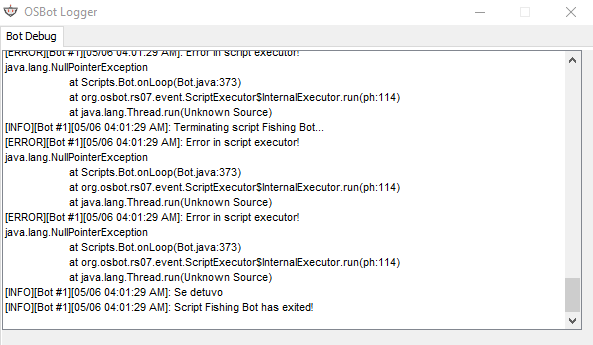
According to what I have read, and I understand, it is the following: NPC bank_booth = getNpcs().closest(6943); bank_booth.interact("Bank"); But this hangs the bot and I have to close it forcibly. Attach the image of the error shown in consolta by osbot.org.
-
-
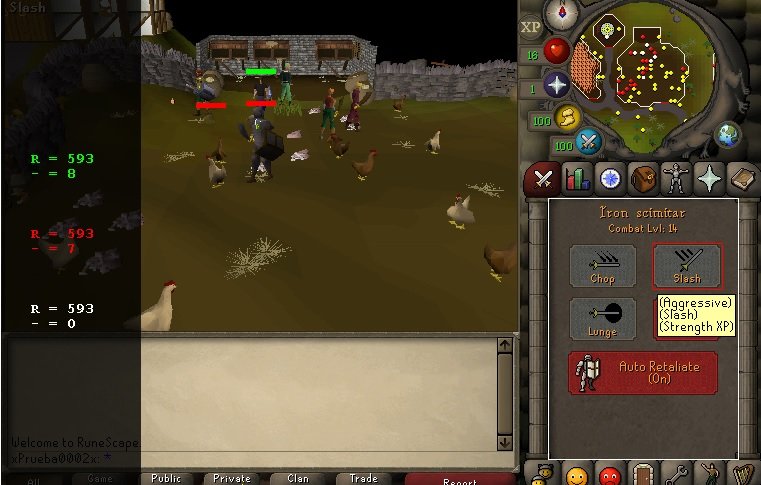
Thanks. int str = getSkills().getDynamic(Skill.STRENGTH); RS2Widget modeStr = getWidgets().get(593,7); int atk = getSkills().getDynamic(Skill.ATTACK); RS2Widget modeAtk = getWidgets().get(593,3); int def = getSkills().getDynamic(Skill.DEFENCE); RS2Widget modeDef = getWidgets().get(593,15); int config = getConfigs().get(43); if(str < 13) { getTabs().open(Tab.ATTACK); sleep(1000); if(config!=1) { modeStr.interact("Slash"); sleep(random(3000,7000)); } getTabs().open(Tab.INVENTORY); }else if(atk < 13) { getTabs().open(Tab.ATTACK); sleep(1000); if(config!=0) { modeAtk.interact("Chop"); sleep(random(3000,7000)); } getTabs().open(Tab.INVENTORY); }else if(def < 13) { getTabs().open(Tab.ATTACK); sleep(1000); if(config!=3) { modeDef.interact("Block"); sleep(random(3000,7000)); } getTabs().open(Tab.INVENTORY); }else { getTabs().open(Tab.ATTACK); sleep(1000); if(config!=1) { modeStr.interact("Slash"); sleep(random(3000,7000)); } getTabs().open(Tab.INVENTORY); } Declare widgets and interact with them.
-
Now what do I do with that information? I really apologize for my ignorance.
-
Ok, I understand that changing the tab is simple: getTabs().open(Tab.ATTACK); The part that I do not understand is the "widget", so far I do not know how they are used for more than I look for examples, I do not know what I'm confusing.
-
I understand that to obtain the current option is like this: getConfigs().get(43) Knowing that the ways to use are the following: 0 - Attack 1 - Strength 3 - Defense How do I order the change of this configuration? Many thanks to anyone who can help me.
-
Thanks brother. Problem solved.
-
wow! in 2 lines! thanks thanks. Is there a disadvantage to using this? It seems very good to be true.
-
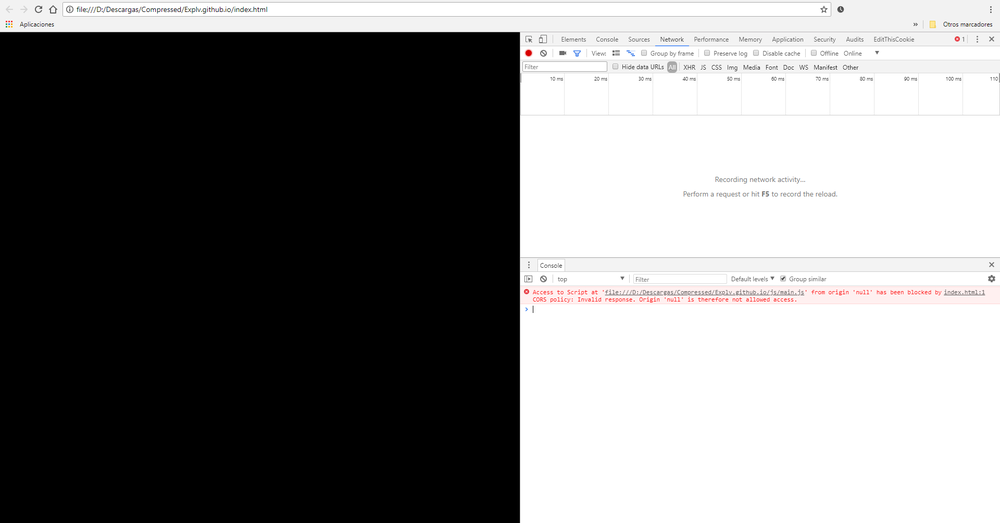
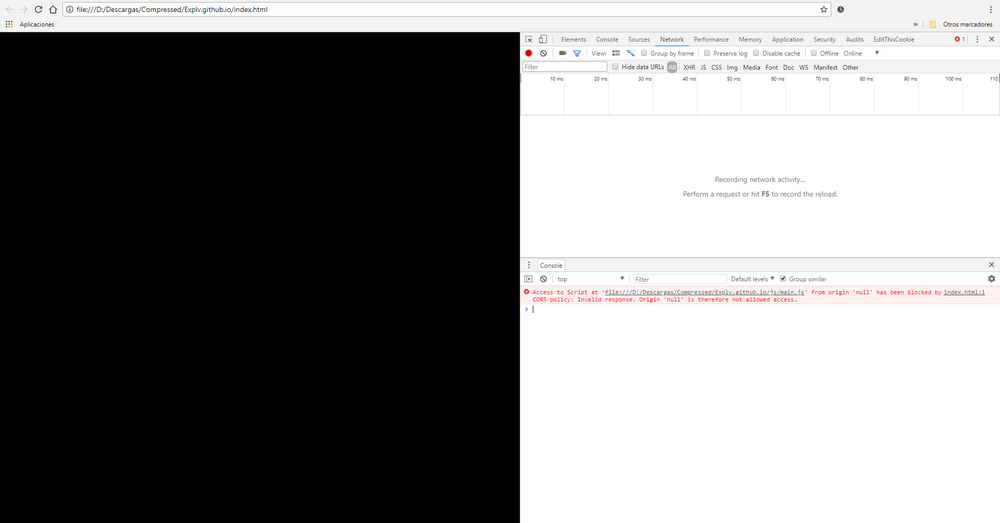
Any idea why this error? Thank you in advance for this tool.
-
I was just looking at that tool, but it gave me an error that I do not know
-
Example being in the position Position lumbridge = new Position (3222, 3218, 0); to the position Position chicken = new Position (3177, 3295, 0); Or do you have to indicate, manually, position to position until you reach the place? First of all, Thanks.
-
Thanks, solved.
-
Following the class in the API, would it be something like this? public void onPaint(Graphics g) throws java.lang.InterruptedException { Graphics2D gr = (Graphics2D)g; gr.setColor(Color.WHITE); gr.setFont(new Font("Arial", Font.PLAIN, 10)); gr.drawString("Script Choop", 25, 50); } I do not understand why it is not shown. Should I call him at some point? First of all, Thanks.
-
Thanks, solved.
-
Successful tree felling counter Attempt to capture the logging by capturing the chat message that says "You get some logs." as follows: public void onMessage(String message){ if(message.contains("You get some logs.")){ logsChooped++; } } But I can not capture the events of the chat, I do not understand how to initialize that function and that it keeps capturing the messages for that counter. Thank you in advance and if there is a more ethical solution, I would appreciate the information.
-
Thanks, solved.
-
I am in an area cutting trees, but in a moment the camera is left in a direction where there are no trees, then it remains without doing anything. The tree I have declared it in the following way: final RS2Object tree = objects.closest ("Tree"); And to move the camera try the following: Camera camera = new Camera (); camera.toEntity (tree);
-
Sorry for the length of the title, but do not find the problem itself. package woodcutter; import java.awt.Graphics; import org.osbot.rs07.api.map.Area; import org.osbot.rs07.api.model.Entity; import org.osbot.rs07.api.model.NPC; import org.osbot.rs07.api.model.Player; import org.osbot.rs07.script.Script; import org.osbot.rs07.script.ScriptManifest; @ScriptManifest(author = "TrainuX", info = "to learn", name = "WC Test", version = 0.1, logo = "") public class wc extends Script{ final Area area1 = new Area(3097, 3112, 3087, 3100); public void interactCustom(Entity entity, String action){ if(entity.isVisible()) entity.interact(action); else getCamera().toEntity(entity); } @Override public void onStart(){ log("Start!"); } @Override public int onLoop() throws InterruptedException{ log("Running..."); NPC npc1 = npcs.closest(3308); Player player = myPlayer(); if(area1.contains(player)) { log("Talk to NPC"); interactCustom(npc1, "Talk-to"); }else{ log("Not here"); } return 0; } @Override public void onExit(){ log("Stop!"); } public void onPaint(Graphics g){ } } According to everything I've read, everything is well stated and I enclose the log messages
-
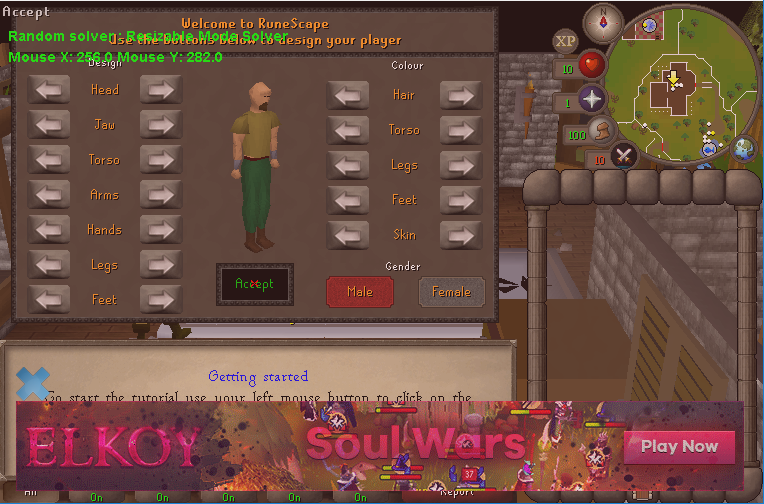
How do I move the mouse a position (specifying the X and Y coordinates) and then do a right click? Example: X = 256 Y = 282 My purpose is to click on the accept button at the beginning of the tutorial (attach the image). If there is a simpler solution. I would appreciate the information. Thank you.
-
@GPSwap ok if everything goes well with the development of the code, without a doubt, I will pay the VIP. Thank you. Greetings.
-
@DeadPk3r I was using a script in another Bot, when I executed it I sent a message that I must pay the VIP, otherwise it would stop after 2 hours, it was like that, it stopped after 2 hours. Ok then I paid the VIP told me that I should be Script Writer. Is it the same or should I just pay the VIP? Or for a script of mine do I need to pay VIP?