Jump to content
View in the app

A better way to browse. Learn more.

OSBot :: 2007 OSRS Botting

A full-screen app on your home screen with push notifications, badges and more.

To install this app on iOS and iPadOS
  1. Tap the Share icon in Safari
  2. Scroll the menu and tap Add to Home Screen.
  3. Tap Add in the top-right corner.
To install this app on Android
  1. Tap the 3-dot menu (⋮) in the top-right corner of the browser.
  2. Tap Add to Home screen or Install app.
  3. Confirm by tapping Install.

GummibearSp

Members
  • Joined

  • Last visited

Everything posted by GummibearSp

  1. GummibearSp posted a topic in Price Check
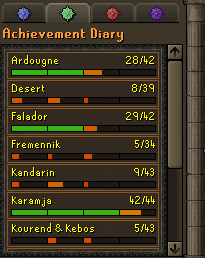
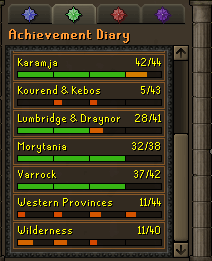
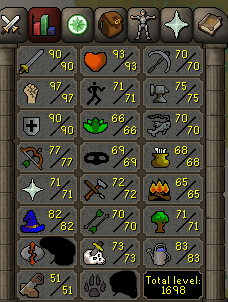
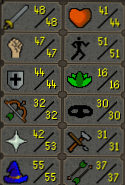
    Please price check my main for me i am quitting and looking to sell but need to know a good price. Also the Account has a rare and awesome 4 letter name.
  2. GummibearSp posted a topic in Requests
    I am needing a quote for someone to do the following things. 55-65 Rcing 59-75 Thieving
  3. Order Form: What do you need? : Pest control with both melee and range helms Payment method? : os GP Going first or middleman? : your decision you are way too trusted for me to complain either way What is your Skype? : i rather use discord and it my discord is JuanDBag#7879 Do you agree to the TOS? : Yes very much so
  4. This guy right here is amazing had him do about 6 quests for me and do some leveling he kept in constant contact with me and i felt real good about his services. I will definetly be using him in the future!
  5. Kon i messaged you on skype since we have talked before
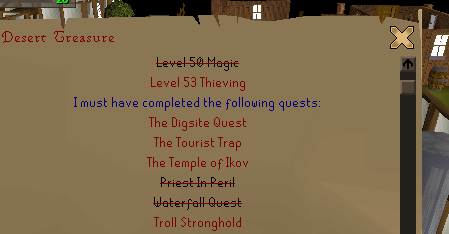
  6. I am needing a PC for the following items 30-53 thieving and then the following questing
Account

Navigation

Search

Configure browser push notifications

Chrome (Android)
  1. Tap the lock icon next to the address bar.
  2. Tap Permissions → Notifications.
  3. Adjust your preference.
Chrome (Desktop)
  1. Click the padlock icon in the address bar.
  2. Select Site settings.
  3. Find Notifications and adjust your preference.