






JayBotsOS
Members
-
Joined
-
Last visited
-
All 115m sold to @rickvv for 0.47 /m.
-
Added you.
-
I can't seem to find you for some reason? Just keeps coming up failed.
-
Sure, @rickvv how much GP?
-
So, would £0.47p /m be a more suitable price, do you think? @Dbuffed
-
How much were you thinking? @Dbuffed.
-
PayPal payments only, all must go, bored of playing the game. Account will be sold after all GP is gone. Thanks.

-
Something like that?

-
Not trusted in the community, but I need GP, can I buy some?
-
Hey, @alldaybye, what was the email address you emailed? Want to recover an account that wasn't botted, but got locked & banned from being hacked and sold. Thanks.
-
Nice work @Eagle Scripts, unfortunately I booted up a script the other day, and my account was terminated. So please give the opportunity to someone else to experience your great work. Thank you for letting me test your script, and all the best.
-
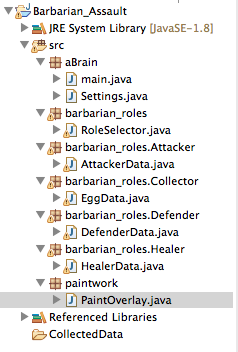
Thanks very much. Progress is coming along nicely. More data has been inserted now, loading up OSBot so I can go and get; Ground Items / Items and NPC ids. So time to annoy some legit players as I wont be helping much. :)
-
It's going to take some time, I'm still getting used to the API and getting back into coding Java, but I thought this could be something that everybody would enjoy.
-
This is in the very early stages of development, and I'm slowly building my knowledge with OSBot as I go, but I will keep working on this for everybody to enjoy.

-
I have Pmed you my Skype.


