Jump to content
View in the app

A better way to browse. Learn more.

OSBot :: 2007 OSRS Botting

A full-screen app on your home screen with push notifications, badges and more.

To install this app on iOS and iPadOS
  1. Tap the Share icon in Safari
  2. Scroll the menu and tap Add to Home Screen.
  3. Tap Add in the top-right corner.
To install this app on Android
  1. Tap the 3-dot menu (⋮) in the top-right corner of the browser.
  2. Tap Add to Home screen or Install app.
  3. Confirm by tapping Install.

Icys

Members
  • Joined

  • Last visited

  1. I've used it the past few days, botting around 4-5 hours with randomised breaks. got from 65-90 then got a 2 day ban.
  2. Icys replied to Khaleesi's topic in Minigames
    Went from 65-90 using this then got 2 day ban luckily (Probably because I've played a lot of my account legit) Be careful, I was botting around 4-5 hours a day and using breaks.
  3. Icys replied to Khaleesi's topic in Minigames
    Have used this from 65-80 firemaking in the past 2-3 days, working well.
  4. It's a price check, who said I'm selling lmao.
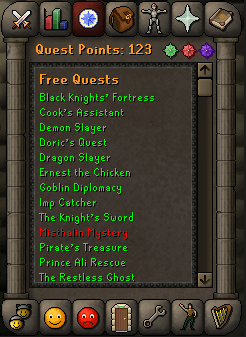
  5. Also currently has 21 days of membership left. 07 GP prices only please. Also, don't give lower prices just because I'm new here.
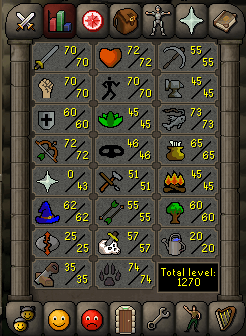
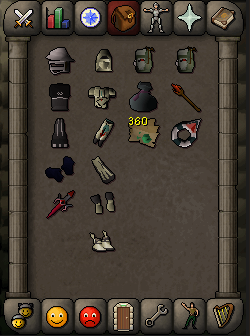
  6. Looks like someone wants to crack pmod accounts, lol.
  7. Icys changed their profile photo
  8. Icys posted a topic in Introductions
    Fellow botter & Graphics designer. Going to make a few design templates for bot stats etc. (i.e. Logs chopped, XP/H) Nice to meet you all.


Account

Navigation

Search

Configure browser push notifications

Chrome (Android)
  1. Tap the lock icon next to the address bar.
  2. Tap Permissions → Notifications.
  3. Adjust your preference.
Chrome (Desktop)
  1. Click the padlock icon in the address bar.
  2. Select Site settings.
  3. Find Notifications and adjust your preference.