Hulkisme
Trade With Caution
-
Joined
-
Last visited
Everything posted by Hulkisme
-
Bought 14m osrs super fast
-
God im stupid so sorry
-
21 thieving alone for desert diary takes like an hour lol
-
5-7 days 40m payment after
-
hand done each
-
quested
-
Hey guys was wondering how much this would go for. Consider a trusted person selling it instead of me.
-
-
only 1k dollars :)
-
doubt he would come back for 35m didnt he scam like a bill or smth
-
Not too much trust but I'll do 40m gp payment after screenshots every 20 minutes anything you need to feel safe (trying to rebuild)
-
35m no bank pin payment after delivery please help me out just trying to rebuild will be real fast
-
I'll do for 2.5m got hacked need to rebuild should take few hours max I'll go first
-
I'll do 13m hand done payment after if you want to
-
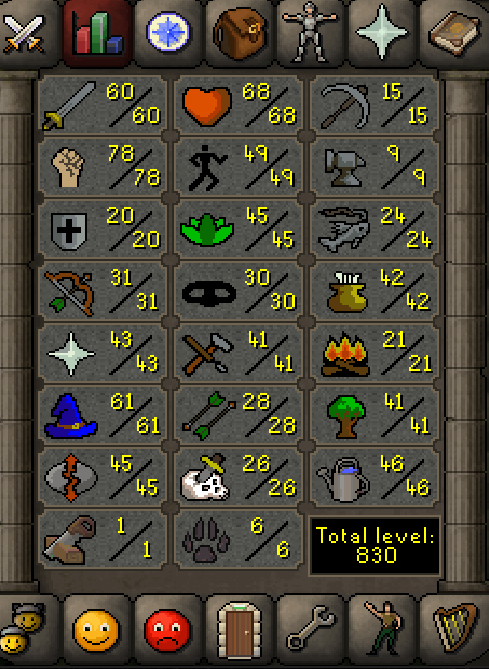
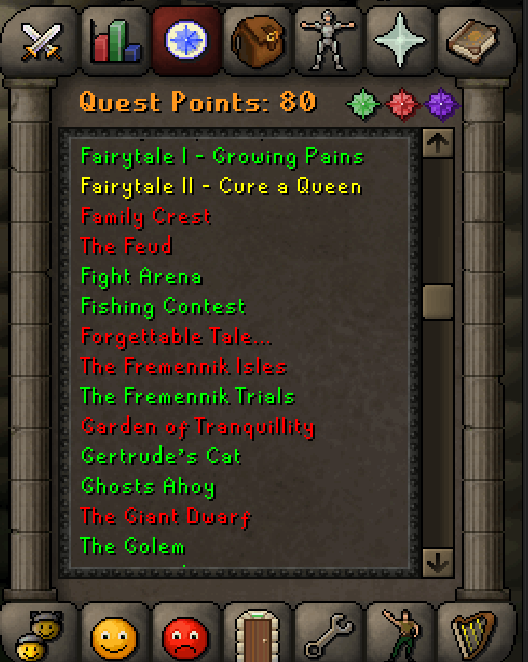
How much would something like this be worth?
-
-
What do you need? : 78-85 str and 31-70 range depending on the quota for the latter Payment method? : osrs gold Going first or middleman? : Going first What is your Skype? : Adnanesen_osbot Do you agree to the TOS? : Yes Sorry for not paying attention to the first page
-
5m I will provide all ppots no need for bank pin (fill up deposit with 100k)
-
There is a guy who charges 4 gp /xp which turns out to be abt 8.5m for you just look in the services area.
-
-
78-85 hand done on an initiate pure. Also I stress on the hand done part because if I get banned you take full responsiblity.
-
16:00-02:00 and I randomly pause to quest/farm run or whatever I need to do.