






93SK93
Members
-
Joined
-
Last visited
Everything posted by 93SK93
-
YEA I AM ACCOUNT BANNED, learn to 2 read noob. I just wanna play on a NEW ACCOUNT on my PC. Not on the banned accounts that's impossible
-
Idk, i cant play on the client and jar All accounts i try to log on it says im banned. On my laptop i still can play with a account i made in the past. I tried VPN, mac spoof, everythingggg but still I cant play. I wonder what ban I have......
-
I am banned on RuneWild its a rsps i tries a vpn, mac spoof, sandbox etc.. still i can play on a diffrent account on my laptop. But my laptop is so slow, is there some1 who can help?? I want to play on my pc.
-
PerfectFighter Trial please, scripts seems good~!
-
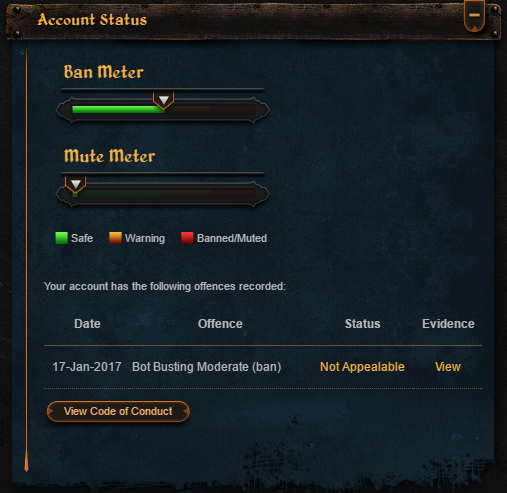
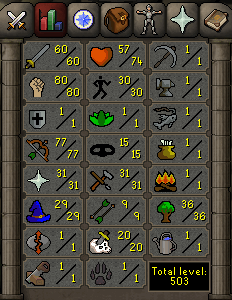
Hi I was wonder if some1 can give me a price check on my account. I quested the ATTK/STR. Currently I am training ranged ( I can obtain several range levels without cbing up ) Quests: Ernst and the chicken The Restless Ghost Animal magnetism Death Plateau Dwarf Cannon Fight Arena The Grand Tree Horror from the Deep ( Zammybook and Lawbook full with pages ) Monkey Madness 1 AND Lost City Priest in Peril Tree Gnome Village Waterfall Quest Alfred Grimhand's Barcrawl ( I WAS 13 DAYS BANNED )
-
I posted for a trial.
-
I posted a post for a trial
-
Scriptname: Khal Experiments Trial Length: 24h Reason for Trial: I really wanna buy it but I need to try it first Are you going to give feedback on the script? YES OFCOURSE!


