






jdm210493
Members
-
Joined
-
Last visited
Everything posted by jdm210493
-
Used this script for days on end. 48 hr+ sessions, never got banned or whatsover. got all my combats to 99 and hp to 102. Good script! ty
-
Make sure you use breaks. I would recommend 1,5 hours on and 2 hours off. Got me to 70/80/90 agility on Starting HCIM accs without any issues !
-
Script name Khal AIO Fletching - trial length 2 days - Reason for trial - Looking to open a fletching suicide bot farm and want to use this weekend as a try-out phase. - Are you ging to give feedback on the script? Definitely anything to help improve script.
-
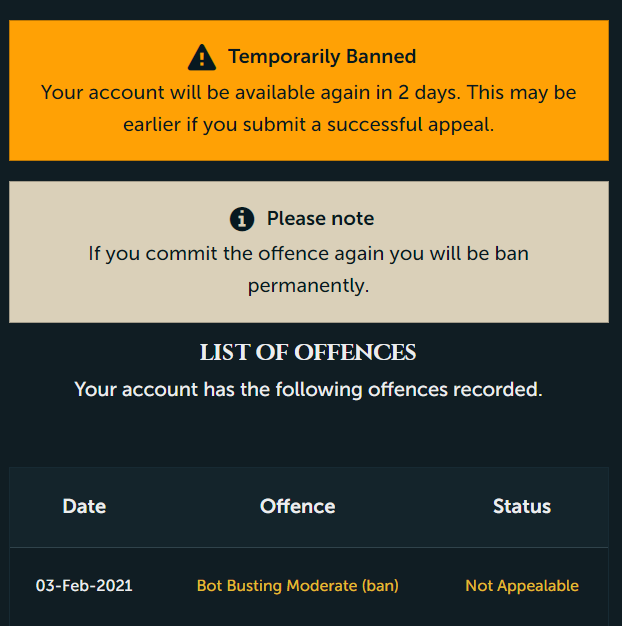
Have the same problem. I botted agility to 70 (no problem), 99 atk // 99 str no problem but once I used Khal Magic to high alch (in my POH) for 1 hour on and 1 hour off with 10% interval I got banned 2 hours in. :S My account is 120 combat with 1800 total.
-
- Script name Khal magic - trial length: 2 days - Reason for trial: thinking of buying this script but wanna test it out first. - Are you ging to give feedback on the script? ofc
-
*EDIT* asked for a free trial in the designated area of the forum.. sorry for this post Hey Khal, could I please get a free trial of this script?
-
Unlocking keyboard input and change camera angle seems to fix it though. Was messing around a bit and seems to be working much better now. Thank you for the quick response!
-
The Varrock rooftop seems to be bugged. Everytime I run it, it gets stuck after climbing the wooden wall obstacle. If I pause it and turn the camera angle myself it seems to be fixed but, don't want to be doing that for every lap I run :D. Other people who got the same issue?


