






emelie
Trade With Caution
-
Joined
-
Last visited
Everything posted by emelie
-

-
-
-
I can also do this. send me a pm.
-
-
-
-
-
-
-
-
-
What do you need? 86-99 range How would you like to pay? We can discuss about it Would you like to use an MM or go first? MM please. What is your Skype? emelie.bard1 Do you agree to my ToS? Yes
-
What do you need? : Fire cape Payment method? : Osgp Going first or middleman? : Going first What is your Skype? : emelie.bard1 Do you agree to the TOS? : Yes
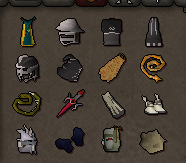
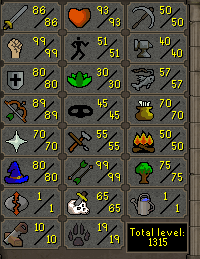




Account
Navigation
Search
Configure browser push notifications
Chrome (Android)
- Tap the lock icon next to the address bar.
- Tap Permissions → Notifications.
- Adjust your preference.
Chrome (Desktop)
- Click the padlock icon in the address bar.
- Select Site settings.
- Find Notifications and adjust your preference.
Safari (iOS 16.4+)
- Ensure the site is installed via Add to Home Screen.
- Open Settings App → Notifications.
- Find your app name and adjust your preference.
Safari (macOS)
- Go to Safari → Preferences.
- Click the Websites tab.
- Select Notifications in the sidebar.
- Find this website and adjust your preference.
Edge (Android)
- Tap the lock icon next to the address bar.
- Tap Permissions.
- Find Notifications and adjust your preference.
Edge (Desktop)
- Click the padlock icon in the address bar.
- Click Permissions for this site.
- Find Notifications and adjust your preference.
Firefox (Android)
- Go to Settings → Site permissions.
- Tap Notifications.
- Find this site in the list and adjust your preference.
Firefox (Desktop)
- Open Firefox Settings.
- Search for Notifications.
- Find this site in the list and adjust your preference.