Lsx_kid
Members
-
Joined
-
Last visited
-
If you need more screen shots or a video I can try. Thanks for the great script overall though. The account I'm using on mirror mode has gone 1-50 attack, 1-70 str and 1-60 range so far.
-
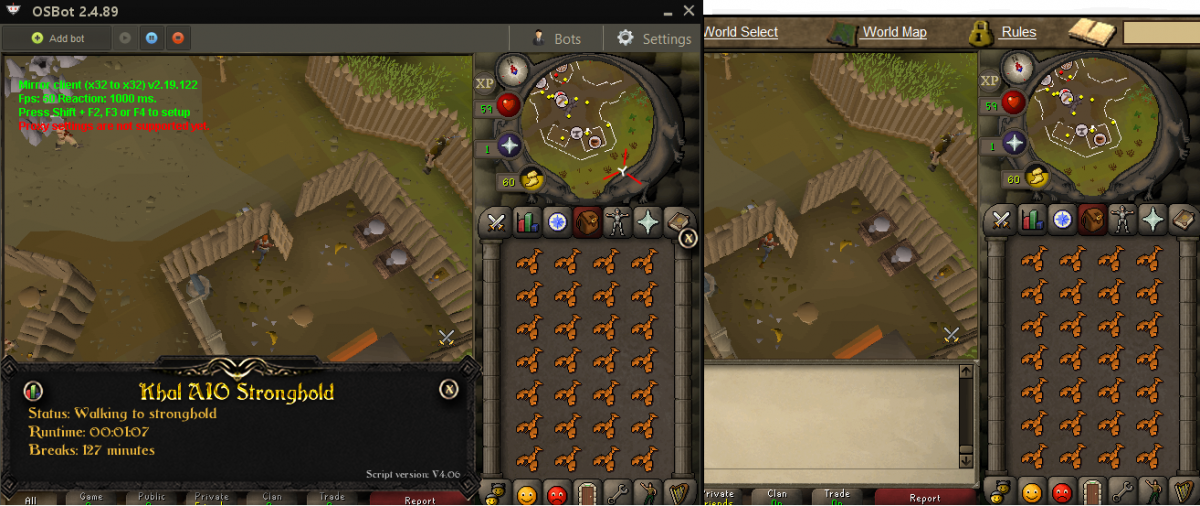
I have had 3 accounts banned using injection mode, 0 with mirror. I refuse to use injection at this point lol. It just runs past the entrance hole and stands wherever it landed for 1-2 mins.
-
Bot does not support safe spot ranging for level 2 flesh crawlers in most south east room or any other room I have tried actually. I set the safe spot and it chooses to stand in a different square. Doesn't attack monsters. I'm using mirror mode and have everything set up correctly. I've botted 1-50 attack and 1-70 str with zero issues, but safe spot ranging does not work whatsoever.
-
Khal any reason for the bot to remain idle for 1-2 minutes when walking back to the stronghold? It walks past the entrance and does nothing whatsoever.
-
Trial please ?
-
What Order do you need : Full void, range helm only Will you fb me/vouch on thread? : yes did you add me on skype?:yes
-
Trial please ?