





.png.617035cdf9a0b6710ef7e8fe78c37d60.png)
hobo234
VIP C++
-
Joined
-
Last visited
Everything posted by hobo234
-
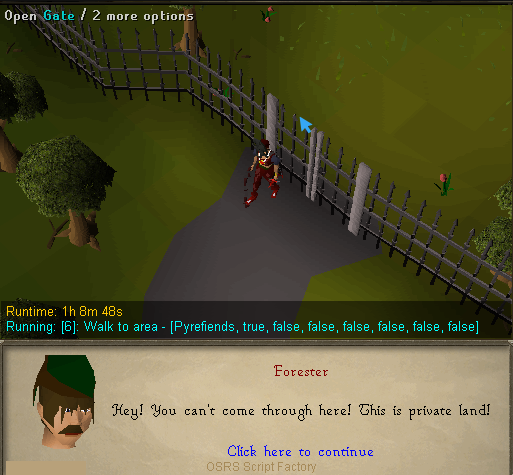
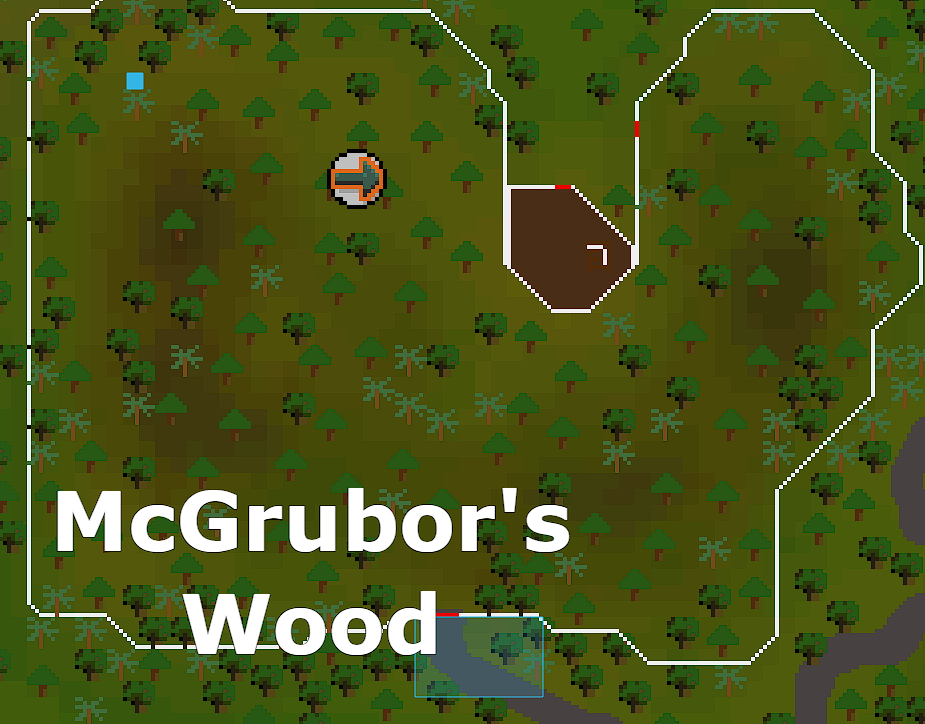
This occurs when the character is in any location and the webwalker calculates that a fairy ring is the fastest route to the destination, and there are no fairy rings near by. For the example I am currently testing, my character is at the Camelot teleport location. I attempt to webwalk to the Fremennik Slayer Cave with a charged combat bracelet and dramen staff. It will teleport to ranging guild and attempt to access the fairy ring in Mc Grubbor Woods through the front gate.
-
When trying to use webwalker that involves in fairy ring with a dramen staff and a charged combat bracelet, the bot will teleport to the Ranging Guild and attempt to walk into McGrubor's Woods to access the closest fairy ring. It attempts to enter through the front gate which is always locked.
-
When saving a config with a negative value (ie: 874, -1000) SF will save the negative value as an integer (-1000). Example: This line is correct [0, Configs, isSet. {false}, 2:874, 2:-1000] When saved in SF, it converts it to: [0, Configs, isSet. {false}, 2:874, 1:-1000]
-
I think we could benefit from having a way to store the position of a hint arrow. We currently have "walk to hint arrow" but if there are objects in the way that webwalker is not compatible with, then we cannot traverse to the object. I'm thinking about it for situations like Agility Arena where a hint arrow exists but there are obstacles in the way to the object. Storing a position of the hint arrow would allow us to make methods for traversing towards and keeping track of the current position the hint arrow is at. If there are other methods or a better implementation for this scenario, please post your ideas
-
I don't mean to double post, but I would love to get a trial and try this out before I purchase. Thanks!
-
This looks great! Could I get a trial please?
.thumb.png.a94b853e3d074e8a6b5e662bccd8f97e.png)


