






joesantangelo
Members
-
Joined
-
Last visited
-
could i please get a trial? thanks
-
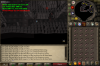
I got it working and went to bank and now its currently stuck as we speak, I'm trying to get it fixed by starting the script at different locations or even directly at the flesh crawlers, no luck yet but i'm gonna keep trying to get it unstuck. This is what keeps on happening
-
The bot and the banking is working perfectly fine now, and everything is going great. However i am experiencing the same issues as the person who posted above me is. I set everything up perfectly and when i wish to go to level 2 of the stronghold to bot at the flesh crawlers, he gets stuck at floor one and the main gates and does not move. (EDIT) I was able to get the bot going again after about 15 minutes!
-
Thanks Czar! everything is working out perfectly!
-
Great Scipt, I purchased it today. I'm having a slight problem, currently using it for flesh crawlers and i'm experiencing problems with the banking.. it does not grab any food and just stays at the bank. I have to manually put in the fish and then it starts working, when that inventory is done and i'm expecting to unload my herbs in the bank and withdraw food it gets stuck and doesn't load any food at all. If you guys have any advice or ways to fix this it would greatly be appreciated.



