sasaeel
Members
-
Joined
-
Last visited
-
world hop and resetting issues still existing...resets fine for sometime and then it just keeps clicking the spot u are standing on crabs
-
same, and resetting having some problems also
-
yes everything set up normally, been working for hours good now, idk wat happend earliet but seems like other people having problems too
-
havent been botting for a while, back at it today and my char have died 4 times today and it wont hop servers when someone steals spot
-
-
-
-
1. Pictures of the account stats https://imgur.com/a/k5TSx 2. Pictures of the login details https://imgur.com/a/DYxpg 3. Pictures of the total wealth (if there is any) 4. Pictures of the quests completed https://imgur.com/a/24S00 5. The price you will be starting bids at 20M 6. The A/W (Auto-win) for your account 60M 7. The methods of payment you are accepting OSRS 8. Your trading conditions 9. Pictures of the account status https://imgur.com/a/Tad2r 10. Original/previous owners AND Original Email Address I am OO
-
https://imgur.com/a/fh7y1
-
i was meant to pause it last night but accidentally clicked stop rip
-
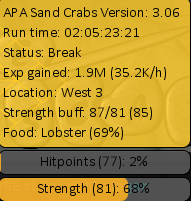
np, still going strong lol
-
-
-
maybe new one coming soon atm at 8hours..
-
40-80-1 80 range 1 pray 1 mage ( attack is quested)