Firsttokill
Members
-
Joined
-
Last visited
-
Firsttokill changed their profile photo
-
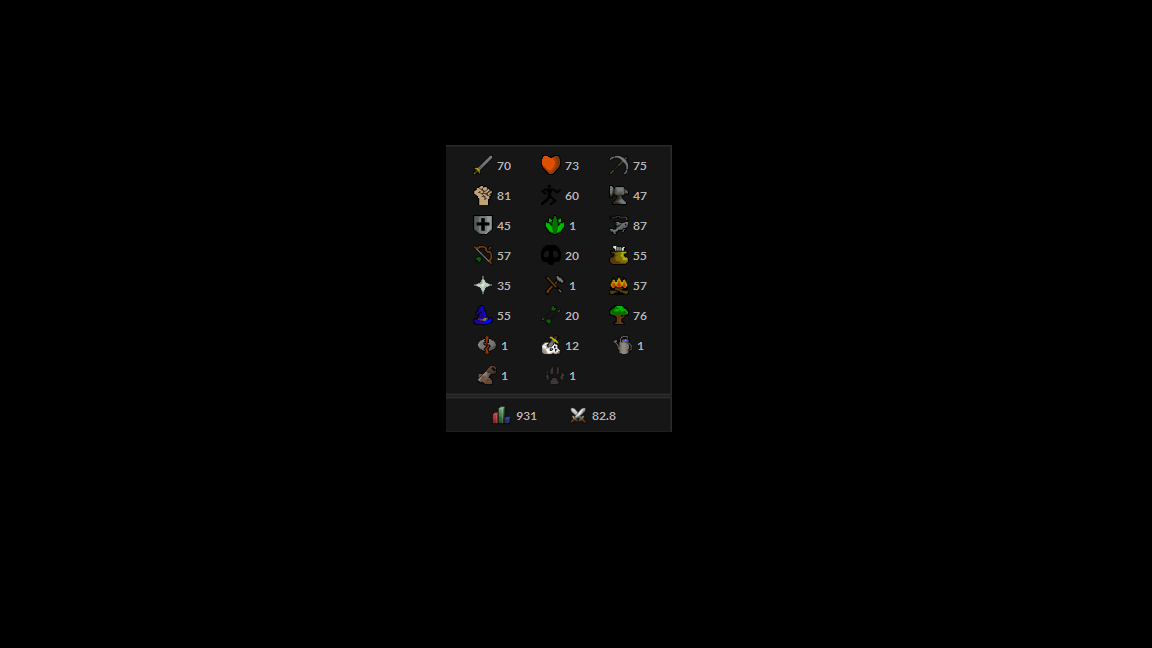
https://imgur.com/a/UFPGFhp Fully quested, no Bans, Handmade, no bot, 101 quest points, all god books, all imbued capes, 2 fire capes, bareelchest anchor, full grace, easy varrock 1, etc.
-
i don't care about other stats or quests.
-
Hey Czar, is there any chance to later add the option to cook salmon and trout in barbarian vilage? because now have the infinite campfire.
-
Why not add support to fill the three bags and then take to the bank?
-
Hello, can i have trial please?
-
Can i Have trial please?
-
-
so, i'm looking to sell that account and would like to know how this worth? Full prospector kit 67 nuggets in bank
-
I am planning to buy a vouch 10m in the next days , I can later add you on skype ?
-
no, i took training =)
-
-
i got 3 accounts ban in a week =(
-
Take Ankou drops?
-
Hello Khaleesi, could buy the script with 07 gold directly with you? They did not answer me on skype that this description.
-
I wanted to thank the Czar by trial and say that I really enjoyed the script, did not give any problems and that in a few days will buy the script. thank you so much