jonasken8
Members
-
Joined
-
Last visited
-
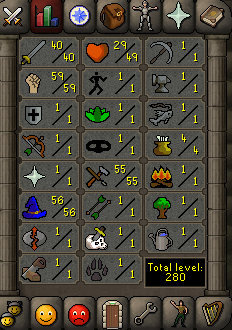
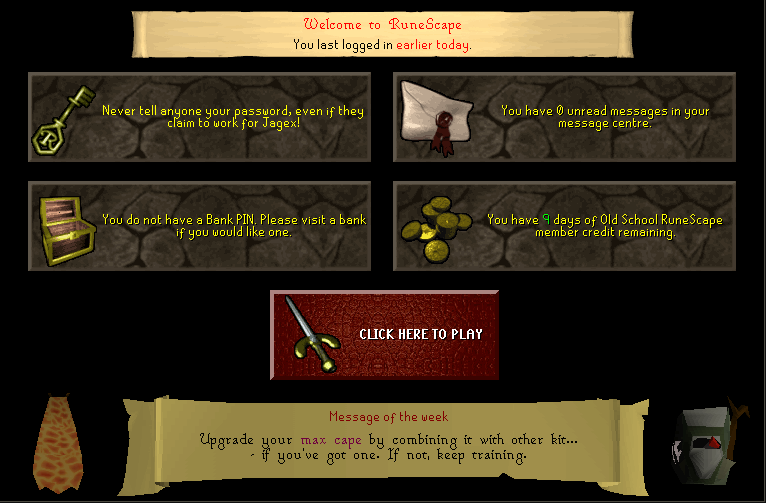
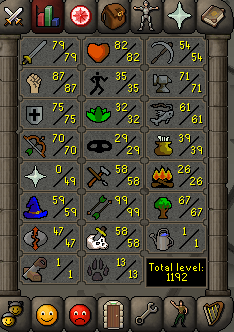
Hi guys, I want to sell my starter pure account! It's nothing specials so I don't ask much but be fast cause he still got memberschip left! Thanks!

-
Title says enough! Give me a price please
-
Yes I know but I can give my account first, no? And thanks for always giving this good information! greetz!
-
Wow more than I thought!
-
-
30M?
-
I also got paypal...like you wish! And I was wrong it's 60 days and it's indeed EU
-
You want to pay with runescape gold?
-
I think EU not sure Can you give an offer?
-
Hi guys! How much mill I can get for my 90 days WoW? Greetz, Jonas
-
Hi guys, I want to check how much you can get from starting accounts. I am making: - A pure: 60/70/1 with 1 pray and 1 ranged and 60 magic - standard starting account: 60/60/60 with 60 magic only 9 quest points to get down the ban rate Thanks and greetz!
-
I also got a 2 day ban on my main...Should I still bot on it?
-
I'll sell you some gold for 1,05/M like the standerd price! I will trade first cause I don't have enough feedback! You can add me on skype: jonasken8 Greetz
-
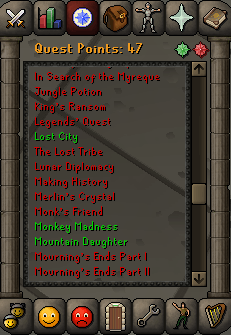
Hello guys! I want to sell my account but first I want to know how much this account is worth. I got a fletching skillcape, dragon defender, berserker ring (i),... 47 QP with monkey madness, animal magnetism, quests for NMZ,... Let me know! Thank you! Greetz