borisbourbier
Members
-
Joined
-
Last visited
-
He what I have bought the script and bought vip?
-
What about the shop thingy?
-
Same for me, ticket shop doesnt work, all the rest works perfectly! 10 hours away from 99 ranged Thanks for the great bot
-
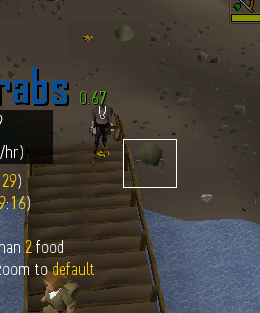
Hi there, found another situation where it gets stuck, this is what happened those times before, works on the rocks aswell The script thinks it is engaging, but it just stands there until log out because the crab doesnt reach the player. think that's the final thing i could find, as it occurs rarely.
-
The script does work fine
-
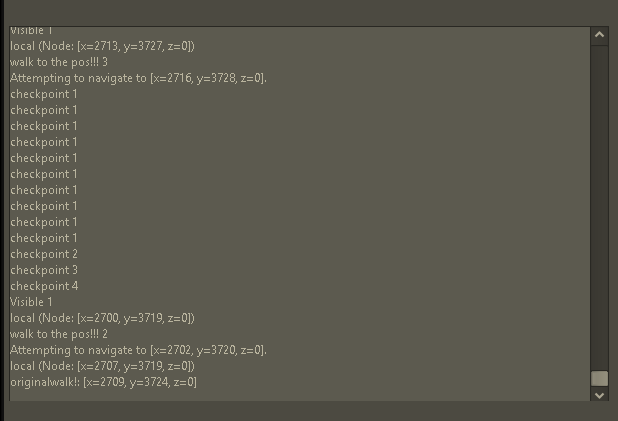
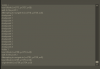
ok it finally logged out the same way it did before, this time after that long run. this is what the console said. It can run 6 hour runs, i'm perfectly happy, just wanted to let you know what might cause it
-
have a 5 hour run atm going perfectly, the problem seems resolved or happening very rarely
-
i know, but i think it gets stuck behind a rock where the script thinks it is attacking a rock crab (with the green square) but actually iisn't, i'll try to screen it if isee it next time For now i have a 2h run that's going well
-
lol i gtg sleep
-
i love 2 win
-
for some reason the scripts stops between 30 min and 1h 30 min, log says nothing though
-
btw can ihaz the motherload script for a sec
-
seems to be ok now, thanks for the great work babe
-
Can i haz the czar magic script?
-
Mine gets stuck after 1-10 crabs always like this after 7 minutes it starts to run randomly again but does not kill crabs for a while