Raphex
Members
-
Joined
-
Last visited
-
Hey Czar can I get a trial of Perfect Miner please?
-
Thanks for the quick response and update for that Czar!
-
At least my 1 post had a purpose, only trying to be helpful in actually giving feedback about what problem (only 1) I've encountered.
-
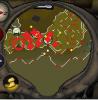
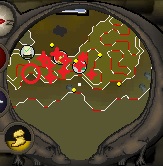
Been running this script for past few days, usually without much trouble but noticing a repeating problem, which I've tried to show with the attached image, after the bot mines that location (possibly others on the east side) it tries to click where it can't move (shown my the red marks). Seems to happen on it's first mining trip after starting the script although seems possible to happen any time. Mining Level 55, Script Settings: Mine Upstairs (can't untoggle) The rest is disabled Hope this is somewhat informative, thanks for the script otherwise Edit: after writing this post checked my bot which I'd just restarted, was at it again