




Jump to content
View in the app

A better way to browse. Learn more.

OSBot :: 2007 OSRS Botting

A full-screen app on your home screen with push notifications, badges and more.

To install this app on iOS and iPadOS
  1. Tap the Share icon in Safari
  2. Scroll the menu and tap Add to Home Screen.
  3. Tap Add in the top-right corner.
To install this app on Android
  1. Tap the 3-dot menu (⋮) in the top-right corner of the browser.
  2. Tap Add to Home screen or Install app.
  3. Confirm by tapping Install.

nvox

Members
  • Joined

  • Last visited

Everything posted by nvox

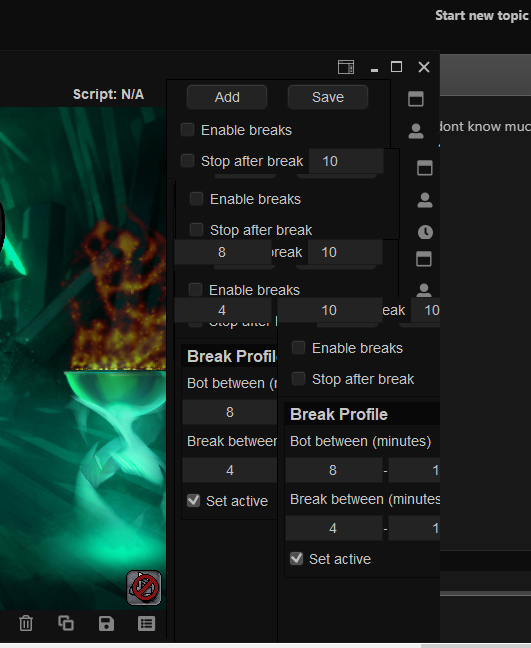
  1. For some reason my client seems to do this whenever i hover over a menu button and feels asif the screen is refreshing constantly. i dont know much about this problem as to why i havent given a lot of info. i was told it might be graphical artifacts but i dont seem to think so as it only does this on mirror
  2. nvox replied to Czar's topic in Agility
    This is utterlies below you will see an ss from 3 days ago its all about how your botting if your botting endless hours then expect bans you cant have had that much experience if i can get a 23hr proggy with the same script :/
  3. Could i get a trial for this please
  4. nvox posted a topic in Price Check
    https://gyazo.com/3f61fc23b8eb71b1bcd659bde8d97eb5 https://gyazo.com/f7f30c36e24acb895b18d507e968db42
  5. Could i get the sand crab trial please

Account

Navigation

Search

Configure browser push notifications

Chrome (Android)
  1. Tap the lock icon next to the address bar.
  2. Tap Permissions → Notifications.
  3. Adjust your preference.
Chrome (Desktop)
  1. Click the padlock icon in the address bar.
  2. Select Site settings.
  3. Find Notifications and adjust your preference.