





Skip to content
View in the app

A better way to browse. Learn more.

OSBot :: 2007 OSRS Botting

A full-screen app on your home screen with push notifications, badges and more.

To install this app on iOS and iPadOS
  1. Tap the Share icon in Safari
  2. Scroll the menu and tap Add to Home Screen.
  3. Tap Add in the top-right corner.
To install this app on Android
  1. Tap the 3-dot menu (โ‹ฎ) in the top-right corner of the browser.
  2. Tap Add to Home screen or Install app.
  3. Confirm by tapping Install.

progamerz

Scripter II
  • Joined

  • Last visited

Everything posted by progamerz

  1. Given, sorry for the delay
  2. Are you sure this is my script? It isn't supposed to use edge at all EDIT: pushed v4.02 which might fix it, it can be an issue due to high latency when world hopping and it doesn't detect it is in wilderness
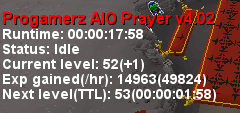
  3. I'll check it, an update could've changed something will let you know
  4. What exactly is broken?
  5. Gave 3 hours trial because you already got one previously, enjoy
  6. Sorry for the late reply, activated
  7. That's weird, did you just keep restarting for it to work or did you change something?
  8. Pushed fix v1.13 which should fix the issue with interactions, allow up to 24 hours to propagate on the sdn
  9. Are you using fixed client mode? what does it show in logger?
  10. Authed, enjoy๐Ÿ™‚

Account

Navigation

Search

Search

Configure browser push notifications

Chrome (Android)
  1. Tap the lock icon next to the address bar.
  2. Tap Permissions โ†’ Notifications.
  3. Adjust your preference.
Chrome (Desktop)
  1. Click the padlock icon in the address bar.
  2. Select Site settings.
  3. Find Notifications and adjust your preference.
