Jump to content
View in the app

A better way to browse. Learn more.

OSBot :: 2007 OSRS Botting

A full-screen app on your home screen with push notifications, badges and more.

To install this app on iOS and iPadOS
  1. Tap the Share icon in Safari
  2. Scroll the menu and tap Add to Home Screen.
  3. Tap Add in the top-right corner.
To install this app on Android
  1. Tap the 3-dot menu (⋮) in the top-right corner of the browser.
  2. Tap Add to Home screen or Install app.
  3. Confirm by tapping Install.

ben potts

Members
  • Joined

  • Last visited

Everything posted by ben potts

  1. Hi there, are you able to do agility training via team viewer?
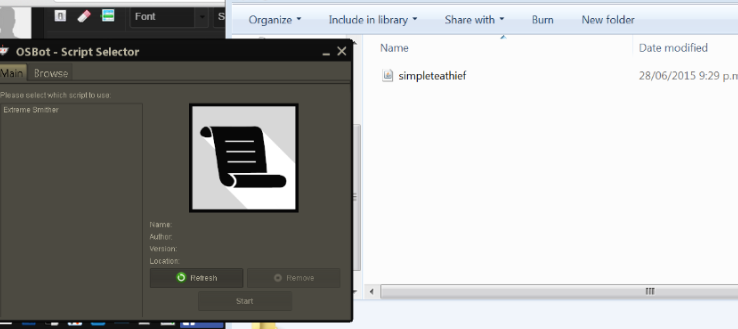
  2. Hi Apeac, thanks for taking your time to write this tutorial. I am confused as I have saved it in what I believe to be the appropriate place (please see attached photo), but, I cant see on my script selector. Please note I am new to scripting and have only tried the "HelloWorld" script pre this tutorial. Thanks Ben.
  3. Hey I successfully exported it, but, it warned me there is a compile problem as there are syntax errors on line 46 and 48, also im confused about line 8, as it says the public type Basic miner must be defined. However when I exported "basicminer" and reviewed over the compile errors, the line 8 error had disappeared, hence why im confused with that particular error.
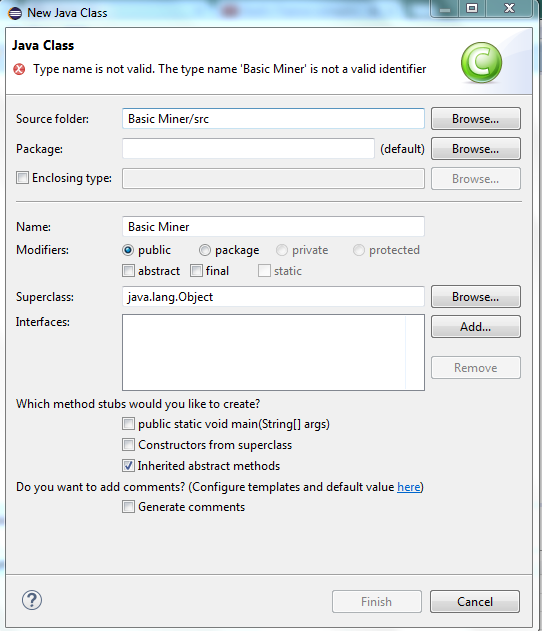
  4. Hey I put in Basic Miner as the class name and it says,"the type name is not valid"
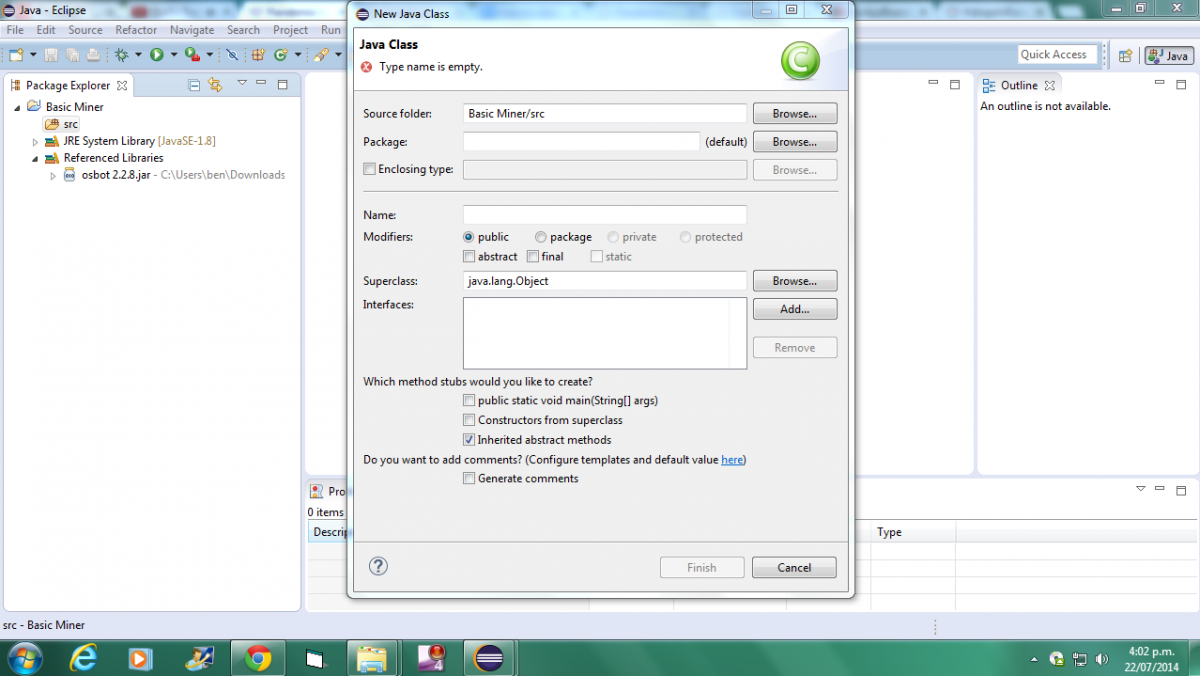
  5. Hey can you please elaborate a little on the create a class bit as it wont let me create a class, it says the type name is empty?

Account

Navigation

Search

Configure browser push notifications

Chrome (Android)
  1. Tap the lock icon next to the address bar.
  2. Tap Permissions → Notifications.
  3. Adjust your preference.
Chrome (Desktop)
  1. Click the padlock icon in the address bar.
  2. Select Site settings.
  3. Find Notifications and adjust your preference.