Leaderboard
-
Wolfe142
Members2Points54Posts -

dannychongas
Members1Points128Posts -
Numberstation
Members1Points2Posts -
zrs1
Members1Points4Posts



Popular Content
Showing content with the highest reputation on 09/09/25 in all areas
-
1 pointThank you, gratz on the 4 zenyte shards btw I will check this out and make sure it works for you, update coming up. Any chance you have the full logs? 🙏 I would have checked if the bot skipped by food for any reason1 point
-
1 point
-
1 point
-
1 point
-
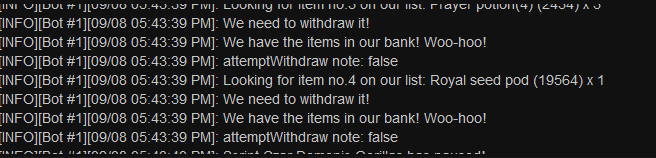
1 pointHmm, was working great. Now it's just stuck bank standing and won't withdraw food. I didn't change anything either o.O. EDIT: To add to this, it is looping at the bank stating it can't find the royal seed pod, but I have one in my inventory and many in the bank.
 1 point
 -
1 pointmy script stops at hammer pick up and uses top hopper but immediately goes down to retrieve instead of filling the bag space plz halppp1 point
-
1 pointscript not working at black salamanders, doesnt register that i can only use 5 traps, and also just sits there doing nothing after first round. ideally would like a refund please as the rest of the exp rates are dreadful1 point
-
1 point
-
1 point
-
1 point
-
1 point
-
1 pointWould love to give this a trial. Does it start when it's given or when I activate it or so? 😁1 point
-
1 point
-
1 point