




Skip to content
View in the app

A better way to browse. Learn more.

OSBot :: 2007 OSRS Botting

A full-screen app on your home screen with push notifications, badges and more.

To install this app on iOS and iPadOS
  1. Tap the Share icon in Safari
  2. Scroll the menu and tap Add to Home Screen.
  3. Tap Add in the top-right corner.
To install this app on Android
  1. Tap the 3-dot menu (⋮) in the top-right corner of the browser.
  2. Tap Add to Home screen or Install app.
  3. Confirm by tapping Install.

Opinions on My Logo Button Design? (First Ever)
Featured Replies

Hey guys,


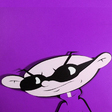
I watched a couple tuts on YouTube because I am a super-novice at Graphic Design. I've posted a couple signatures here before but I think this is most advanced one I've produced so far. Can i have some opinions on it? Other than that, I look forward to seeing everyone else's current work! 


Bunka


160pp4j.jpg

Edited by Bunka

  • Author

make me an avi pl0x biggrin.png


Inbox me and well talk about it tongue.png

I like it! I think it would look better if it had a black background though.

  • Author

I like it! I think it would look better if it had a black background though.


I'll test it out and see if I like it, thanks for the feedback!

Looks Nice!

The button is not that bad but it needs a few touch-ups. First of all, I wouldn't have used the grass brush to give it some texture. Also you can see where the brush you used comes out of the circle so I recommend you to use a clipping mask for that. For a novice I guess it's not bad smile.png just don't give up and keep practising.


As for some of my recent work. Here are some logos I created recently: 

9f3b72a2178593aabdc897490c8ea327.png

6637a28241d87df5866000f2bd521f5f.png

08641f965327f3c1694ed6d469636290.png

c1faf7eda1257836680c7e272b7a4a21.png

bdb26cc4552bd7d05d729b63d0f857c4.png

  • Author

The button is not that bad but it needs a few touch-ups. First of all, I wouldn't have used the grass brush to give it some texture. Also you can see where the brush you used comes out of the circle so I recommend you to use a clipping mask for that. For a novice I guess it's not bad smile.png just don't give up and keep practising.


As for some of my recent work. Here are some logos I created recently: 

9f3b72a2178593aabdc897490c8ea327.png

6637a28241d87df5866000f2bd521f5f.png

08641f965327f3c1694ed6d469636290.png

c1faf7eda1257836680c7e272b7a4a21.png

bdb26cc4552bd7d05d729b63d0f857c4.png


Thanks man! I changed the initial picture into a more likable texture the other day, as well as made it blend more. Appreciate hearing positive feedback from you!

Guest
This topic is now closed to further replies.

Recently Browsing 0

  • No registered users viewing this page.

Account

Navigation

Search

Search

Configure browser push notifications

Chrome (Android)
  1. Tap the lock icon next to the address bar.
  2. Tap Permissions → Notifications.
  3. Adjust your preference.
Chrome (Desktop)
  1. Click the padlock icon in the address bar.
  2. Select Site settings.
  3. Find Notifications and adjust your preference.