




Jump to content
View in the app

A better way to browse. Learn more.

OSBot :: 2007 OSRS Botting

A full-screen app on your home screen with push notifications, badges and more.

To install this app on iOS and iPadOS
  1. Tap the Share icon in Safari
  2. Scroll the menu and tap Add to Home Screen.
  3. Tap Add in the top-right corner.
To install this app on Android
  1. Tap the 3-dot menu (⋮) in the top-right corner of the browser.
  2. Tap Add to Home screen or Install app.
  3. Confirm by tapping Install.

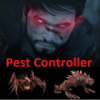
Need thumbnail picture for PC bot
Featured Replies

hey,


I need a cool picture for my pc bot. The thumbnail and also the graphical picture you see when a bot is running (forgot the technical word for it). If you could make me i would give you pcbot for free if you want smile.png


greets,


redeye


edit: still waiting... :(

Edited by redeye

I'll do it once I get home, got anything specific that needs to be included?

  • Author

I'll do it once I get home, got anything specific that needs to be included?

hey cool thanks!


Nope, just something origal and has to do with pest control ;p  use your imagine :D For paint (just found the word) i need it to say somewhere like redeye's pest control and for the rest use your imagine too (and ofcourse it must have something that reminds of pest control in it).


greets,


Redeye

  • Author

I'll do it once I get home too. I'm at school for another 3 hours, then I have soccer for an extra 3 hours after. So in 5 hours from now, I'll have one for you smile.png


niceeee, will see which one makes the best :D


just to be clear paint and thumb both or one of em?:P

Sorry... I couldn't get on much yesterday so I couldn't do it.

Recently Browsing 0

  • No registered users viewing this page.

Account

Navigation

Search

Configure browser push notifications

Chrome (Android)
  1. Tap the lock icon next to the address bar.
  2. Tap Permissions → Notifications.
  3. Adjust your preference.
Chrome (Desktop)
  1. Click the padlock icon in the address bar.
  2. Select Site settings.
  3. Find Notifications and adjust your preference.