flokiii
Members
-
Joined
-
Last visited
-
just got a 2 day ban lastnight but overall this is a great script !!. I've used it from 1-89 flawlessly until last night lmao. Anyways thanks for this script (: !!!
-
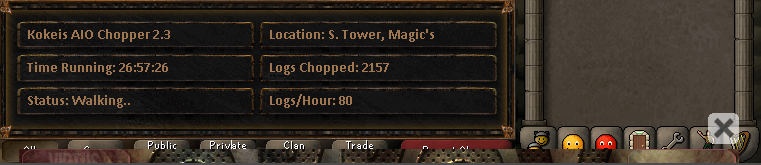
26 Hour Proggy that's current !!!. Thanks for the great script man

-
currently using this to string yew longs and running flawlessly !!!. thanks for the awesome script i love it !!!.
-
Hell yeah !!. Thanks man for all the dope scripts and all the hardwork you do to make them !!!. much appreciated there is a problem with stringing currently. when it uses the string with yew longs it strings 5 of them and then clicks on the bowstring and bows again to start fletching them instead of letting it continue through the first time. Also it'll get through 2 inventory's and then it will click on a already strung yew longbow and while the bow is highlighted it will try opening the bank but wont be able to. Here is the Error ERROR][06/25/13 05:51:02 PM]: Error on executing script worker! java.lang.NullPointerException at a.cON.string(Unknown Source) at a.cON.onLoop(Unknown Source) at org.osbot.kb.run(wj:260) at java.util.concurrent.ThreadPoolExecutor.runWorker(Unknown Source) at java.util.concurrent.ThreadPoolExecutor$Worker.run(Unknown Source) at java.lang.Thread.run(Unknown Source) [iNFO ][06/25/13 05:52:54 PM]: ERROR: Failed to open bank
-
When i add this script into my scripts folder it doesnt show up in the bot even after i refresh it. I have no idea why ???
-
this script will not show up in my local scripts at all after i put it in the correct directory. Even after i refresh my local script thing it won't show up
-
It isnt in the SDN ?? If it is can you show me a link because i cannot find it.
-
When i said the bank tab i just meant when it opens up the bank like clicks on the bank booth. It won't close out of the bank after it opens it up and puts the logs into your inventory. It goes straight to trying to click on the knife and logs to try and fletch them while the bank screen is open.
-
I am running the most current version of the client also when I run the bot it says all the correct information as it should such as how many bows it has fletched and what not. It still has the "exiting bank" problem. When having a knife in your inventory the script goes through the bank and finds the logs and correctly takes them out. However the main problem is after it does just what I said it doesn't close the bank tab it gets stuck on it. Hope this helps a little better.
-
Very much appreciate all the hard work you do, Keep up the great scripts i love them !!! still having an issue closing the bank. it'll sometimes close the bank tab but mostly it won't :l
-
thanks for the fast and great updates !!. always appreciated (:
-
fantastic !!. this is awesome. Glad to hear everything is growing and running smooth !!.
-
thanks bro i appreciate all your hard work !!!.
-
no not currently because no other script got updated yet
-
i don't think its working yet. Not until the new SDN version is pushed