skeeter378
Members
-
Joined
-
Last visited
Everything posted by skeeter378
-
Sounds good. Please let me know once you've fixed the death issue. Would love to try it before I buy as I lost a bunch of hours from dying so i'm not quite comfortable with it yet
-
mine had the issue post-death as well. the second i teleported to edgeville with glory in inv it went right back to working though so i would hope this would be a pretty simple fix. i even set respawn to edgeville and it couldn't manage to find its way to the bank
-
Would love to try the brine rat killer, #69814
-
I'm not sure I can see my Magic trial? Can you resend?
-
-
would love to try aio mage, excited to see the stun alching
-
-
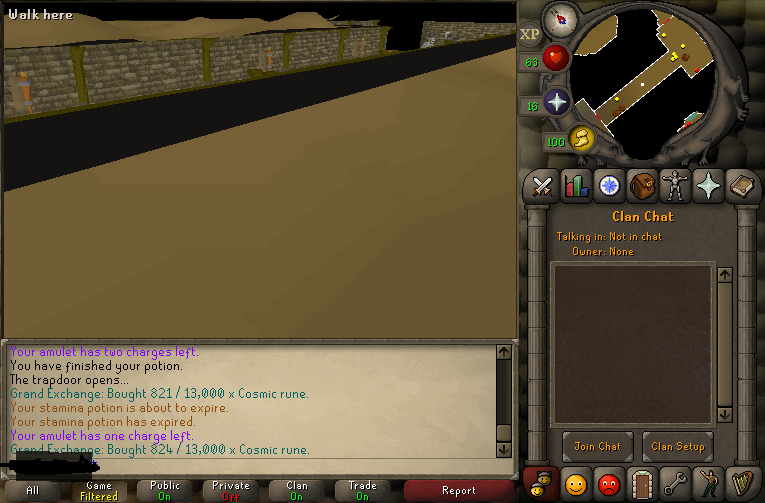
It does the same thing for me. It seems to do this because it clicks on the main player screen and tries to click through the wall to get to an area around the corner or whatever. Is there any way to move the player via the minimap in the top right? As opposed to trying to click on the main screen where it is easy to get caught on things. It actually just did it after I posted that... you can see its trying to click around that corner to get to the gate but it can't click through the wall so it would be easier to move via the map instead.
-
I'm user #69814 script: air orber Thanks!
-
Hi there, I'm sure this has been asked before but I haven't been on the site and I'm not sure what has changed since. I bought DicloniusMTA in January of 2014, and now it does not seem to show up when I go to select a script in the client. How can I get it back? Thanks