hamishch
Members
-
Joined
-
Last visited
Everything posted by hamishch
-
Does this work for flesh crawlers very well? Also can I get a trial?
-
About a month ago, no matter what I botted I was just getting banned constantly. I am assuming because Jagex knuckled down and had a ban wave, i'm wondering if they are less onto it again now? Like before they knuckled down i was botting for months and months without a single ban, all of a sudden like 5 accounts got banned. So anyone got any idea how often you get banned now, obviously just an approximation?
-
5uck it would be greatly appreciated if you looked into this and fixed it, because at the moment the script can't run at Ardougne overnight without screwing up. Like 'watch ur hp' said I log into being stuck outside the tower and finding my bot only ran for 1-3 hours tops. There are multiple things wrong with running it at Ardougne, it never runs longer than 1-4 hours without encountering a problem and being unable to fix it. The running away from combat and not being able to re-enter the tower is one and happens often. Another is that it doesn't talk to the frog princess and gets you turned into a frog, automatically ending the script and forcing it to log out. I'm assuming there are many more similar problems, would be unreal if 5uck could get it to actually work flawlessly at Ardougne!
-
There are multiple things wrong with running it at Ardougne, it never runs longer than 1-4 hours without encountering a problem and being unable to fix it. The running away from combat and not being able to re-enter the tower is one and happens often. Another is that it doesn't talk to the frog princess and gets you turned into a frog, automatically ending the script and forcing it to log out. I'm assuming there are many more similar problems, would be unreal if 5uck could get it to actually work flawlessly at Ardougne!
-
There are multiple things wrong with running it at Ardougne, it never runs longer than 1-4 hours without encountering a problem and being unable to fix it. The running away from combat and not being able to re-enter the tower is one and happens often. Another is that it doesn't talk to the frog princess and gets you turned into a frog, automatically ending the script and forcing it to log out. I'm assuming there are many more similar problems, would be unreal if 5uck could get it to actually work flawlessly at Ardougne!
-
There are multiple things wrong with running it at Ardougne, it never runs longer than 1-4 hours without encountering a problem and being unable to fix it. The running away from combat and not being able to re-enter the tower is one and happens often. Another is that it doesn't talk to the frog princess and gets you turned into a frog, automatically ending the script and forcing it to log out. I'm assuming there are many more similar problems, would be unreal if 5uck could get it to actually work flawlessly at Ardougne!
-
The Ardougne one doesn't work very well. If it leaves the tower to run away from combat for a random, it can't get back in most of the time. I just haven't been able to run the Ardougne one for more than 2 hours without baby sitting it. Also doesn't even do the frog princess random, doesn't talk to the frog.
-
Get an ava's accumulator, derp
-
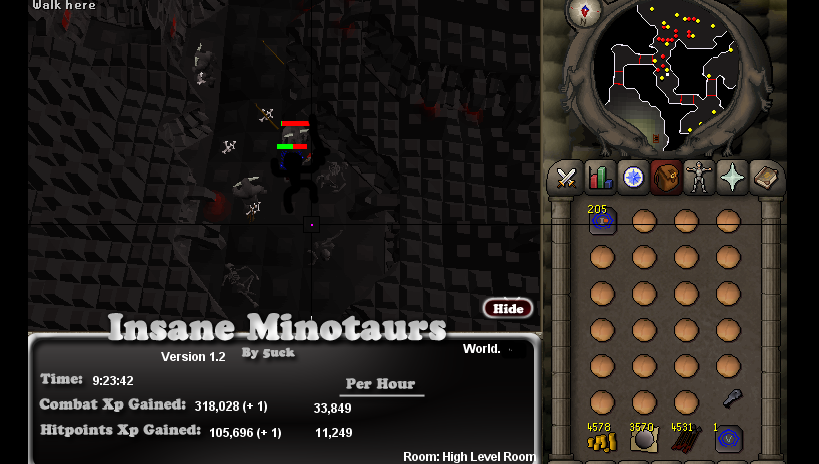
This proggy is on my 1 defence pure! And this is also my exp/hr- the exp I lose from occasional 10 minute breaks I set it to take.