






juacovp08
Members
-
Joined
-
Last visited
Everything posted by juacovp08
-
I was looking through this topic on custom mouse algorithms and that locked topic was referenced there. Without it, I can't follow what the guide is trying to teach us to do
-
Owww 😆 maybe the author was the one who hid it?
-
Why can't I view the following topic on the forum? https://osbot.org/forum/topic/47398-semi-advanced-creating-your-own-mouse-controller/
-
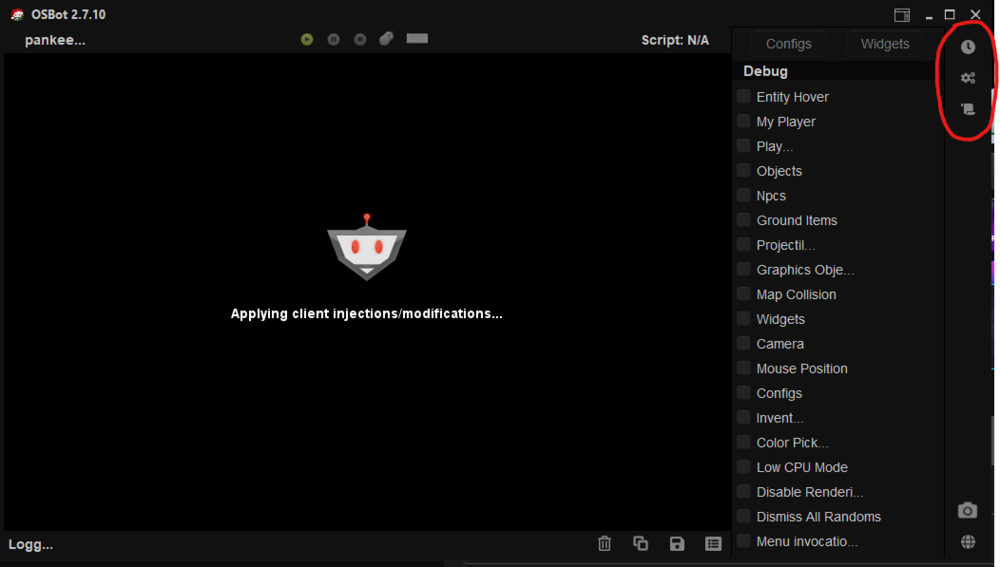
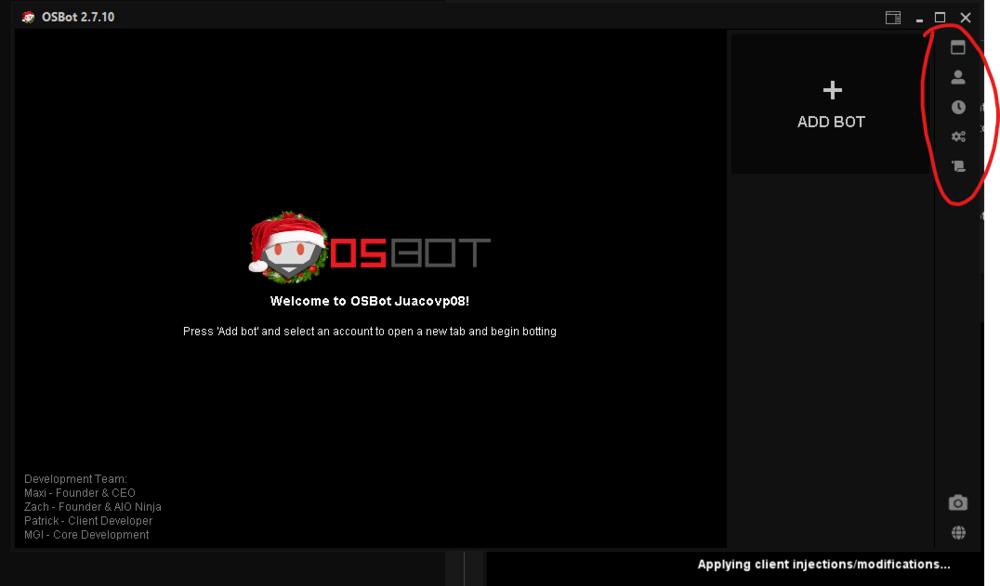
Hello, I would like to know is it currently possible to use CLI to launch ONE client with at least 2 bot tabs to run different bots in stealth mode? If yes, then how can I do this? I've taken a look at the CLI flags table (https://osbot.org/forum/topic/118831-cli-commands-table/) , but that isn't clear to me from what I saw there whether or not this could be done. For clarification, I am not asking to launch multiple OSBOT clients (which requires VIP), I am asking if I can launch ONE client with multiple tabs from CLI. Reason why I ask this is because when I launch OSBOT from the Jagex launcher, I do not get the option to open another tab and can only run 1 account at a time, with 1 bot at a time. Look at the picture below, this is when using the Jagex launcher, on the right hand side menu, the "Shows the bot tab overview" and "Shows the account overview" options do not appear. For comparison, when I launch Osbot directly, I do get the options Any ideas?
-
Bought today and amazing script so far! Is the xp rate tracker a combination of Atk/Def/Str + HP or just the Atk/Def/Str?
-
Working great for me in Dec 2022. Can leave this bot on 12+ hours the entire day checking occasionally, every 3-4 hours and break during night time. pumps the entire session.


