[Stable] OSBot 2.7.17 in Releases February 27, 20242 yr 3 minutes ago, seppow said: I'm having issues my bot scripts don't work atm (Perfect Fighter AIO), all scripts don't load the image in my tab and the Perfect Fighter AIO doesn't start up. i think there is a update since there is bot initializatuion error
Bot initialization error in General Help February 14, 20242 yr · Edited February 14, 20242 yr by cptnox1993 ahhhh i cant take it.. it´s itching to much in my skin.. im too addicted to osbot
Bot initialization error in General Help February 14, 20242 yr still down, i dont want to play osrs the "normal way" LOL
{Buying} rested and tut island done accounts, need 5 or 10 i pay good. in Requests February 14, 20242 yr do you have any?
{Buying} rested and tut island done accounts, need 5 or 10 i pay good. in Requests February 14, 20242 yr · Edited February 14, 20242 yr by cptnox1993 as the title says ^
account osbot in General Help February 14, 20242 yr so i cant login on osbot launcher, but i can login jagex launcher and runelite, but not osbot ? i dont know how this works.
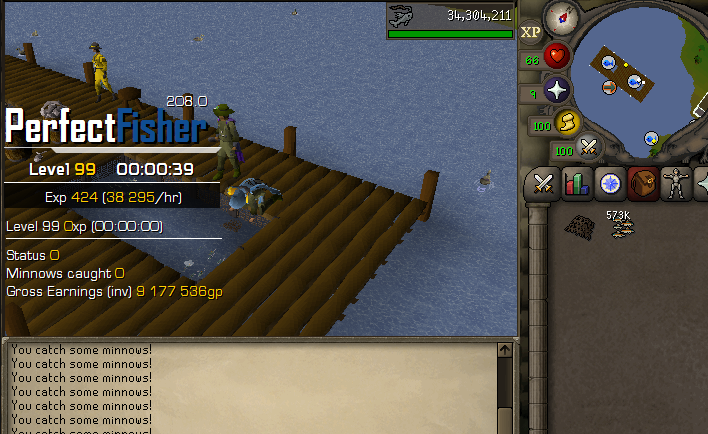
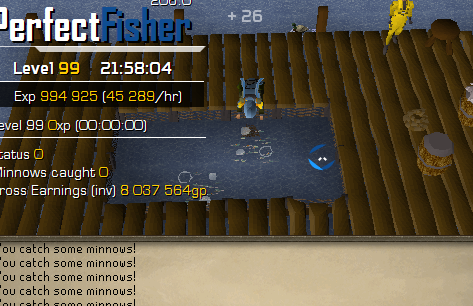
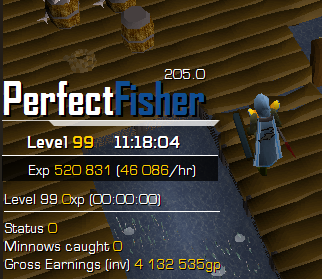
Perfect Fisher AIO in Fishing & Cooking February 11, 20242 yr · Edited February 11, 20242 yr by cptnox1993 one month later still going strong, 8 hours per day
99 fishing, complete i make 5m gp a day :) in Spam/Off Topic December 31, 20232 yr yea no need for vip xD
99 fishing, complete i make 5m gp a day :) in Spam/Off Topic December 30, 20232 yr · Edited December 30, 20232 yr by cptnox1993 thanks @ Czar for my first 99, always get banned at lvl 92 otherwise xD
i never get a character up to 99 in Botting & Bans October 23, 20232 yr yea,, tbh i think it was beacuse i did 2 quest with stealfh quester.. that i wont do this time. lvl 66 on my thieving account now ^done other times to and banned after that
i never get a character up to 99 in Botting & Bans October 20, 20232 yr never get a character up to 99, always get banned at 85 mining - 92, '
buying 10 tut island accounts in Requests September 28, 20232 yr · Edited September 28, 20232 yr by cptnox1993 need 10 tut island done and rested paying in osgp. you go first unless your highly trusted [or use MM] PM if you're a seller
reinstalled pc in Spam/Off Topic September 28, 20232 yr · Edited September 28, 20232 yr by cptnox1993 so i reinstalled my pc, and i forgot to save my gold farms account info.. is there a way to get them back or am i fcked? also i forgot how to only get the oldschool client! i only get the "launcher" option
Boght manager, but want vip, can it be changed some how to vip in Spam/Off Topic September 20, 20232 yr · Edited September 20, 20232 yr by cptnox1993 As title says
Help me choose… in Spam/Off Topic September 20, 20232 yr · Edited September 20, 20232 yr by cptnox1993 Help me choose betten VIP - bot manager what is the differens, can i open multiple account with manager?
Perfect Fighter AIO in Combat & Slayer September 18, 20232 yr question, does this script support rev caves?
why do i do it? xD in Spam/Off Topic September 12, 20232 yr i always been asked myself the question, why do i love botting in games? xD i realy dont know haha













[Stable] OSBot 2.7.17
in Releases
i think there is a update since there is bot initializatuion error