Tikvesa
Members
-
Joined
-
Last visited
-
b
-
b
-
b
-
b
-
b
-
b
-
B
-
Selling Trade ready account (20H of playtime, 10QP, 100TTL) made on US proxy | ORIGINAL OWNER Comes with unregistered email Handmade tutorial | ORIGINAL OWNER made on Runelite on US proxy unregistered mail made by hand GP or crypto contact me on here or on discord Tikvesa#0126
-
So i implemented this into my script (its part of the script that runes in loop): public class Test { public static void main(String[] args) throws InterruptedException { Server server = new Server(50000); server.listen(); server.write("Hello peasant"); } } And it works as intended for the first request. Then it goes to the rest of the script but when it comes back to that part and when it need to listen for a new request again it just ignores whole thing and it doesnt listen for a new request. I found on a web to add thread into all this but i tried all day today and i dont know how
-
So i was using this tutorial from dreameo that i found on a forum but i dont know how to implement thread into it. My script just accepts one request and then just ignores new listener when it comes to it. Can someone help?
-
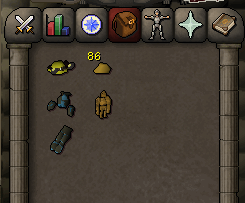
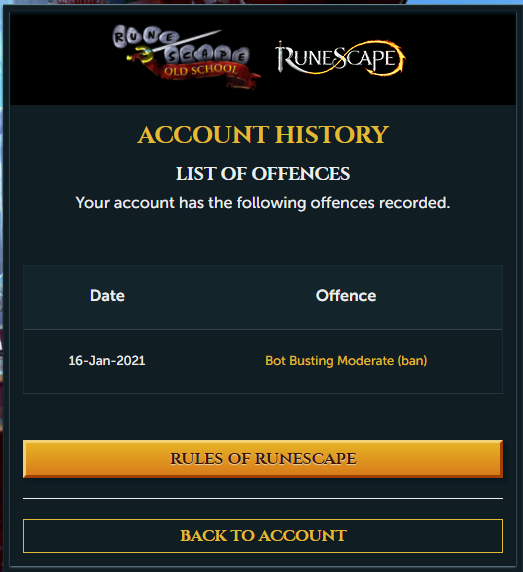
69mining with rock pet and 3/4 mining set with 86 gold nuggets
-
I finished it if anyone is looking for script here it is: idler.jar
-
yes i followed pugs tutorial for timer i got it working. public class Main extends Script { private long timeBegan; private long timeRan; public void onStart(){ timeBegan = System.currentTimeMillis(); } public int waitTime(int min, int max) { return (int)(Math.random() * (max - min)) + min; } public int onLoop() throws InterruptedException { if (mouse.isOnScreen()) { mouse.moveOutsideScreen(); } else { mouse.move((int)(100 + (Math.random() * 660)), (int)(100 + (Math.random() * 400))); } return waitTime(1000, 240000); //1 sec to 4 mins. } public void onPaint(Graphics2D g) { Graphics2D gr = g; timeRan = System.currentTimeMillis() - this.timeBegan; g.drawString(ft(timeRan), 1, 250); } public String ft(long duration) { String res = ""; long days = TimeUnit.MILLISECONDS.toDays(duration); long hours = TimeUnit.MILLISECONDS.toHours(duration) - TimeUnit.DAYS.toHours(TimeUnit.MILLISECONDS.toDays(duration)); long minutes = TimeUnit.MILLISECONDS.toMinutes(duration) - TimeUnit.HOURS.toMinutes(TimeUnit.MILLISECONDS.toHours(duration)); long seconds = TimeUnit.MILLISECONDS.toSeconds(duration) - TimeUnit.MINUTES.toSeconds(TimeUnit.MILLISECONDS.toMinutes(duration)); if (days == 0) { res = (hours + "h " + minutes + "m " + seconds+ "s "); } else { res = (days + "d " + hours + "h " + minutes + "m " + seconds+ "s "); } return res; } } This is my whole script and its working fine. Now im trying to log how long did script last for in console but i cant get time in h m s im getting it in pure ms. How to fix it?
-
lol, are you gonna fix it? I know you said in discord that u dont support old scripts anymore
-
yes, I use your script but i need runtime timer so i dont need to go to lumb and talk to Hans. Can you provide source of it or can you put timer by any chance?